
Lightweight Animal Swimming Race
Link to the performance demo
Documentation🔗
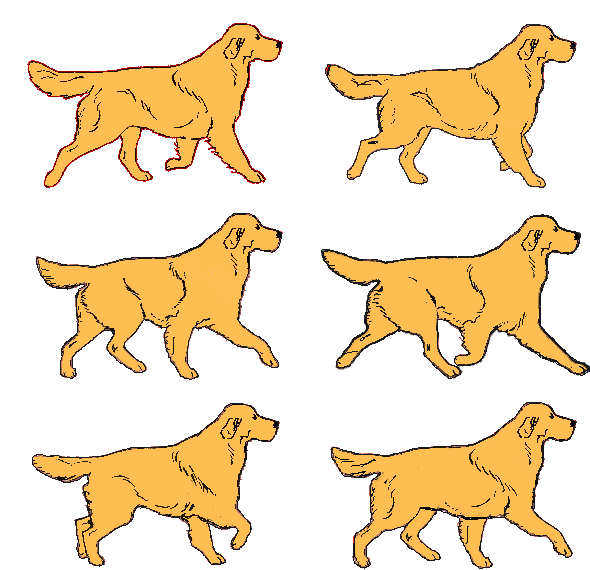
Our performance is a fun lightweight animal swimming race. One performer controls the swimming position of the main character (a dog) using the position of their nose, while the dog competes against other animals—cat, mouse, and crab—in the pool. The performer also uses their fingers to control the dog’s swimming movements (moving the fingers left and right once switches the puppy’s kicking motion). In the end, the dog wins and its coach cheers for it. This one-minute performance was completed using Projection Mapping and MediaPipe. For the projection, we filled a bathtub with water and projected onto it according to its shape to create a pool effect.
In this project, we wanted to look for a video introducing the race and our main character to the audience and have a commentary voice to create an exciting and intense race atmosphere during the performance. So I found a video on YouTube of a dog diving race and an Olympic swimming competition, and I extracted clips and audio from both to help prepare for our performance. Additionally, I was responsible for integrating and functioning the materials in TouchDesigner by connecting various nodes to complete the dog’s motion switching and movement, the chroma key and movement transforms for the other characters, and the composite of background video and animal characters.
We spent a lot of time brainstorming. Finally, we decided that doing projection mapping in a bathtub would be fun, and perhaps using flowing water could create a sense of wave, which we wanted to experiment with. Initially, we didn’t know how to simply make the other three NPC animals swim forward by themselves. Later, we tried using the “absTime.seconds” method we learned in the last class on the TransformTOP. It achieved the effect we wanted: the animals started at the same time but moved at different speeds. However, because this formula’s value keeps increasing and cannot be reset at any time we want, we tried using the Timer CHOP instead. We found it very convenient for control and effective for the performance. But until just before recording, we were still manually clicking “Start” in the Timer CHOP to make the animals start swimming. Although this method worked, it affected the visual effect during fullscreen display and wasn’t convenient to operate. Thus, I tried using Keyboardin CHOP combined with Switch CHOP, referencing it to the “cue” in Timer CHOP. As a result, when I pressed “1,” all the animals started swimming, and when I pressed “2,” they returned to the starting point, which greatly improved efficiency.
I learned how to use the powerful motion-tracking tool MediaPipe in TouchDesigner. I also learned the basic operation of Projection Mapping but still need to continue researching more refined mapping techniques.
I’m eager to explore more on projection mapping on different surfaces or objects, especially those with irregular shapes. And also, since I once used MediaPipe (BodySegmentation) on p5.js to do mocap, I’m willing to utilize it as a tool to create projects or performance as well.
credit (in order of appearance):
video from a dog diving race: https://www.youtube.com/watch?v=qHwIhiwpHgc
audio from an Olympic swimming race: https://www.youtube.com/watch?v=45Qw9zMkBRs
character-cat: http://xhslink.com/a/O6PukD06XRRW
character-mouse: http://xhslink.com/a/O6PukD06XRRW
character-dog: https://media.tenor.com/ePjGbe3qxbYAAAAi/golden-retriever-walking.gif
character-crab: https://youtu.be/i4wCXG3fncg?feature=shared
video of a happy dog: http://xhslink.com/a/cbyPcFJ10SRW
video of a coach cheering for his student: https://www.youtube.com/watch?v=J-XIFYZkRT0