Steve Lu's Documentation Blog

  • Skip to primary navigation
  • Skip to main content
  • Skip to primary sidebar

Recitation

Digital Project

December 11, 2022 by Steve Leave a Comment

Scratch

Progess in video so far

(some parts don’t align with the scratch as they are still subject to change)

This video should have been uploaded to bilibili and Chinese subtitile should have been added.

https://wp.nyu.edu/nyushanghai-wenbolu/wp-content/uploads/sites/25197/2022/12/scratch.mp4

Something I think that can be IMPROVED:

The pace of talk, maybe a bit slow, not fitting the urgency of young people.

The tone of talk, maybe a bit low, and lack of varying intonations, that may sound sleepy.

The part from interviewee is redundant, could be shorten to a sentence or two, then combined with quick analysis.


Filed Under: Recitation

Recitation 10: Image & Video

December 7, 2022 by Steve Leave a Comment

The function that I would like to realize here is to let the sliding rheostat to control the progress of the video.

I used analogRead(A0) to obtain the position of the slider and sent it to processing. In processing, I first obtained the duration of the video via video.duration() and then remaped the voltage value from arduino corresponding to the duration of the video as a float object. Afterwards, video.jump() method helped me to get to the position where the slider is corresponding to in the video.

What I noticed in the process is that the jumping wasn’s smooth at all. It was lagging. What I thought to be problem, probably, is because the scale, from 0-1023, is much too sensitive to control the video, as it may cause unnecessary fluctuation. So, maybe a clean solution to it is to resample the value and downscale it a little bit.

Also, I have tried using mouse position to control the video. It worked fine except for the lagging problem.

Code attached below:

import processing.serial.*;
import osteele.processing.SerialRecord.*;
import processing.video.*;

Serial serialPort;
SerialRecord serialRecord;
Movie yes;

float dura;

void setup() {
  imageMode(CENTER);
  background(0);
  fullScreen();
  //size(1920, 1080);
  
  String serialPortName = SerialUtils.findArduinoPort();
  serialPort = new Serial(this, serialPortName, 9600);
  serialRecord = new SerialRecord(this, serialPort, 1);
  
  yes = new Movie(this, "timelapse.mp4");
  yes.loop();
  dura = yes.duration();
}

void draw() {
  // Ratio of mouse X over width
  //float ratio = map(constrain(mouseX, 320, 2240), 320, 2240, 0, 1920) / 1920;
  serialRecord.read();
  int value = serialRecord.get();
  float ratio = value / 1023;
  
  yes.jump(ratio * dura);
  println(constrain(mouseX, 320, 2240));
  image(yes, width/2, height/2);
}

Filed Under: Recitation

Recitation 9: Digital Fabrication

November 25, 2022 by Steve Leave a Comment

Design 

Attached to the shaft

– by me

I tried to make the most use of the materials. So, I designed something for myself in the blanked area. 

And the most important lesson that I learnt in the process, reminded by Andy, is that for laser cutting we should be extra cautious with the font that we’re using.

Fonts for laser cutting Stencil


And stencil is thus a good option, avoiding the middle of the texts to fall off.

Attach to the stand

– by Rin


Laser Cut

Engraving mode.

The movement of the printer nozzle is shify. It’s pretty amazing thinking of how the motors exhibit great precision in such a high speed.

https://wp.nyu.edu/nyushanghai-wenbolu/wp-content/uploads/sites/25197/2022/11/3b96bf47056b24d8b42d7f91065003d1.mp4


Cutting mode.

There’s nothing surprising with the cutting, though it’s undoubtedly spectacular. And also, it smells smoky. On the top of that, there’s inevitably trace of burning all along the cut. We have to polish or wash them off. Though this may be equally another kind of aesthetic.

https://wp.nyu.edu/nyushanghai-wenbolu/wp-content/uploads/sites/25197/2022/11/4c8a3feda51492e387a7ab63bf621db0.mp4

All wrapped up

This looks kinda amazing, though it’s not necessarily an interfering pattern. One way to make it more impressive, is perhaps turning it faster. However, I am not sure how to realize that on a servo motor. So, I decided to leave with what it is right now. At least we grasped a basic idea of how digital fabrication work, partially.

https://wp.nyu.edu/nyushanghai-wenbolu/wp-content/uploads/sites/25197/2022/11/7a473c26d5bd622388b94b21efb7e87b.mp4


Filed Under: Recitation

Recitation 8: Serial Communication

November 19, 2022 by Steve Leave a Comment

Task #1:  Make a Processing Etch-A-Sketch Task

Trivial code and wiring.

However, it’s worth noting that instability with the sensor values, which perhaps has mutiple factors contributing to the problem. Unstable current output is probably one of the factors, plus the limited accuracy of ADC. One easy way out is to read the value every other second or two. The drawback is obvious too, that it stablizes the value at the stake of sensitivity. One more interesting observation from Rudi into Andy Ye’s computer, where a noticeable noise appear, is that connecting the computer to a power supply may potentially give rise to the noise. This makes perfect sense as industrial disturbance is always something that we should pay attention to in any kind of circuit experiments, especially those dealing with high-precision data.

https://wp.nyu.edu/nyushanghai-wenbolu/wp-content/uploads/sites/25197/2022/11/b7267be3869f4765d1f4efc016a43a42.mp4

#2: Bouncy Table Tennis

Trival code and wiring,

Though there’s a huge space for refinning the details. In the demo video, largely we see an animation that is linear. Linear animation are pale and dull, because we don’t anticipate things to move that way in our physical life. Picture a table tennis ball flying to you, you seize the chance and hit it back. Speed varys along the way. Ruled by Newton’s Second Law of motion, everything here on earth has something called acceleration! So, I decided to mimic the kinda feeling in the animation, making a namely non-linear motion.

The first solution that came into my mind, is to use math functions to control the speed. Since we were able to tell the exact x-coordinate of the ball, given an expression of speed-verse-displacement, we shall control the acceleration as we desire. Unfortunately, I found it impracticable. To control the fine osciliation, we need to specify the length the ball travels. However, processing runs in a digital way, meaning that it’s incontinuous so that I could not integrate the function to get the distance. Plus, the framerate is also not always a constant but subject to change. Although adapting a simple harmonic osciliation model may work, I don’t want to solve a second order differential equation for the constants needed to finely control the motion.

So, I turned to lerp(), namely a built-in function to do linear interpolation. With a single line that iterates the value like this,

    i = lerp(i, -0.1*width, 0.02);

a linear motion can be easily realized.

With all that done, I thought it was pretty much it, until I noticed the inharmoniness occurred when the pats hit the ball. Think about playing table tennis, you cannot put your hand in its place to hit the ball. Only you draw your hand back a little bit in advance and wave your hand toward the ball, can one hit the ball hard.

https://wp.nyu.edu/nyushanghai-wenbolu/wp-content/uploads/sites/25197/2022/11/Untitled.mp4

Taking that into consideration, I decided to add a little more feature, allowing the servo hands to act as if they know the ball is coming. The logic is simple, changing the if conditionals so that the servos move a bit in advance like, 

from

  if (i>=width) {...}

to

  if (i>=0.95*width) {...}

However, the conditonals gave rist to another problem, that the newly introduced interval condition instead of the moment condition, potentially caused the hands to move repeatedly during the period, which requires a design to let it move only once. Thus, I improved the conditonals as

  if (i>=0.95*width && runChecker==0) {...}
https://wp.nyu.edu/nyushanghai-wenbolu/wp-content/uploads/sites/25197/2022/11/d5fd2f477226c735355c26ff0e48cbb9.mp4
 

Full code for reference  (p≧w≦q)

Processing 

import processing.sound.*;
import processing.serial.*;
import osteele.processing.SerialRecord.*;

float x, y;
float i=0;
boolean left = true, right = false;
int runChecker = 0;

SoundFile sample;
Serial serialPort;
SerialRecord serialRecord;

void setup() {
  sample = new SoundFile(this, "Ping Pong Table Tennis Sound Effect.mp3");
  sample.loop();
  fullScreen();

  String serialPortName = SerialUtils.findArduinoPort();
  serialPort = new Serial(this, serialPortName, 9600);
  serialRecord = new SerialRecord(this, serialPort, 1);
  //serialRecord.logToCanvas(false);
}

void draw() {
  //println(frameRate);
  background(0);
  circleBounce();

}

void circleBounce() {
  if (i<=0) {
    left = true;
    right = false;
  }
  if (i>=0.95*width && runChecker==0) {
    serialRecord.values[0] = 1;
    serialRecord.send();            // send it!
    runChecker = 1;
  }
  if (i<=0.05*width && runChecker==1) {
    serialRecord.values[0] = 0;
    serialRecord.send();            // send it!
    runChecker = 0;
  }
  if (i>=width) {
    right = true;
    left = false;
  }
  if (left==true) {
    i = lerp(i, 1.1*width, 0.02);
    //x += -0.1*(0.4/width)*i*(i-width);
  }
  if (right==true) {
    i = lerp(i, -0.1*width, 0.02);
    //x -= -0.1*(0.4/width)*i*(i-width);
  }
  fill(255);
  ellipse(i, height/2, 70, 70);
}
Arduino
#include "SerialRecord.h"
#include <Servo.h>

Servo left;  // create servo object to control a servo
Servo right;
int volume, prevolume;
int move = -1;

// Change this number to the number of values you want to receive
SerialRecord reader(1);

void setup() {
  Serial.begin(9600);
  right.attach(8);
  left.attach(9);
}

void loop() {
  if (reader.read()) {
    move = reader[0];
  }
  if (move==1) {
    left.write(90);
    delay(500);
    left.write(0);
    move = -1;
  }
  if (move==0) {
    right.write(90);
    delay(500);
    right.write(0);
    move = -1;
  }
}

Filed Under: Recitation

Recitation 7: Neopixel Music Visualization

November 16, 2022 by Steve Leave a Comment

Crazy Bug  o(╥﹏╥)o

The recitation for this week was a little bit messy. I mean, really messy. I went over the recitation files before class but I never expected the bug that I was going to encounter. SerialRecord was not, is not, and will not be a friend of mine. 

During the recitation, I advanced fast and started step 2, where we were asked to use serial monitor to control the LEDs. Well, the numbers that I typed into the computer didn’t function as I expected. There was a line of warning in the console, for which I looked the whole afternoon within the library and found it to be a mild compilation error that does not matter at all. I also tried deleting the library automatically and manually, installing the same library but different versions of it, and reinstalling arduino idle.

Something that I noticed along the process, is that, how fast I plugged the USB into the port would result in different but rather consistent reader[0] value, as you can see in the photos attached, where the reader[0] value were printed out in the console. What I mean by consistent is, that fast plugging resulted in a much greater value whereas, slower plugging resulted in a smaller one. Their difference in magnitude is around the level of 10^1. Combined with the fast and slow plugging, it reminded me of USB3.0 verses USB2.0. Faster and slower plugging will make the system identified the port differently. Well, the hypothesis didn’t help at all. Uncanny, it was, for a downstream output to inversely affect the upstream. I failed to figure the problem out, but I highly suspect to be the problem with the hardware or the protocol running on the ports. The code, as well as the environment, were excluded from suspicion, since I didn’t find relevant error in the library.

Make it happen! (*^▽^*)

Alternatviely, I tried to run the program on Ruili’s macbook instead. Though she also ran into some other problems with the baudrate and lagging and weird problem, her reader[0] has been giving out the correct value. So, I tried. Unfortunately, it didn’t work. I completely lost my mind. What I mean by it didn’t work, is, that even the sample code could not work as before. 

Nevermind the silly bug, I figured it out by borrowing a new computer from the equipment room. Simple and neat solution, got everything done. I took the void function that I did in the recitation6 and adapted to the visual. Considering the problem of perspective, I changed the circle() function into ellipse(). To avoid serialrecord overload problem at best, I decided to sent only one digit, once a while, through using

  while (frameCount%10==1) {
// curve up the volume to fit the non-linear manner in which humans perceive light and color
      serialRecord.values[0] = floor(map(sqrt(volume), 0, 1, 0, 59));
      serialRecord.send();            // send it!
      break;
  }
https://wp.nyu.edu/nyushanghai-wenbolu/wp-content/uploads/sites/25197/2022/11/Music-Visualization.mp4
 

For the LEDs, I used neoPixel library instead of fastPixel, because I had plenty experience working with the former one thanks to the midterm, plus it provides much stronger and integrated functions than the latter one. The idea was simple as well. Processing sent over the number of pixels ought to lit according to the volume analysis, what the microcontroller had to do was simply lighting up exactly the same number of pixels as requested, each with an increasing brightness according to their sequence. Always keep in mind that if no update is given to a pixel, then it will maintain its original state until a new signal is sent over telling it what to do. So, let’s say, the volume is going down, for the pixels to shrink in number, an extra line of code should be added to clear out the rest of pixels, otherwise we won’t see a change; but for the volume going up, there’s no such concern. The solution is trivial.

if (reader.read()) {
    volume = reader[0];
    if (volume != prevolume) {
      pixels.fill(1, volume+1);    // fill from the volume to default the last pixel
      pixels.show();
      for (int n=0; n<=volume; n++) {
        pixels.setPixelColor(n, pixels.ColorHSV(33132, 194, map(n, 0, 60, 0, 100)));
        pixels.show();
        delay(10);
      }
    }
    prevolume = volume;
  }
 
https://wp.nyu.edu/nyushanghai-wenbolu/wp-content/uploads/sites/25197/2022/11/WeChat_20221118203202.mp4

Full code for reference  (p≧w≦q)

Processing 

import processing.sound.*;
import processing.serial.*;
import osteele.processing.SerialRecord.*;
PImage img;

float volume_pre = 0, volume_now = 0, deg = 0, Radius = 0;
float volume;

SoundFile sample;
Amplitude analysis;
Serial serialPort;
SerialRecord serialRecord;

int NUM = 60;  //amount of pixels

void setup() {
  img = loadImage("backdrop.jpg");
  frameRate(60);
  size(1080, 720);
 
  // load and play a sound file in a loop
  sample = new SoundFile(this, "Hans Zimmer - Herald of the Change.mp3");
  sample.loop();

  // create the Amplitude analysis object
  analysis = new Amplitude(this);
  // analyze the playing sound file
  analysis.input(sample);
  
  String serialPortName = SerialUtils.findArduinoPort();
  serialPort = new Serial(this, serialPortName, 9600);
  serialRecord = new SerialRecord(this, serialPort, 1);
  //serialRecord.logToCanvas(false);
}

void draw() {
  image(img, 0, 0);
  colorMode(RGB, 255, 255, 255);
  if (frameCount%300==0) { 
    tint(255, 255, 255, 100); // clean screen thoroughly once a while
    println("fuck you");
  }
  else {
    tint(255, 255, 255, 20); // fulfill a fade-out effect
  }
  noStroke();
  
  println(frameRate); // check running status
  //println(analysis.analyze());

  // analyze the audio for its volume level
  volume = analysis.analyze();
  
  while (frameCount%10==1) {
 // curve up the volume to fit the non-linear manner in which humans perceive light and color
      serialRecord.values[0] = floor(map(sqrt(volume), 0, 1, 0, 59));
      serialRecord.send();            // send it!
      break;
  }
      
  // display visuals only if a difference in volume occurs
  if (abs(volume - volume_pre) > 0.01) {
    // change the radius and range of leds once a while, avoid jumpy
      while (frameCount%15==1) {
    
      //serialRecord.values[0] = floor(map(sqrt(volume), 0, 1, 0, 59));
      //serialRecord.send();            // send it!
    // store the value to another container, get ready for another iteration
      volume_now = volume_pre;
      volume_pre = volume; 
      break;
    }
  }
  // create animated circles
  circleLeft(width/2, height/2, width/2, height/2, floor(map(sqrt(volume_now), 0, 1, 0, width)), floor(map(sqrt(volume_pre), 0, 1, 0, width)));
}

void circleLeft(float x_up, float y_up, float x_down, float y_down, int size_up, int size_down) {
  noFill();
  // color
  colorMode(HSB, 360, 100, 100);
  //stroke(288, 64, map(volume, 0, 1, 80, 100));
  stroke(#5ED1FF);
  //strokeWeight(1);
  //strokeWeight(map(cos(deg), -1, 1, 0.5, 1));
  strokeWeight(map(volume_now, 0, 1, 0.5, 2));
  Radius = map(cos(deg), -1, 1, 0, size_up);
  ellipse(x_up, y_up, 1.7*Radius, 0.4*Radius);
  deg += map(sqrt(volume_pre), 0, 1, 0.005, 0.01);
  delay(20);
  
  noFill();
  // color
  //stroke(332, 90, map(volume, 0, 1, 80, 100));
  stroke(#31c2c8);
  //strokeWeight(2);
  //strokeWeight((map(cos(deg), -1, 1, 0.5, 1)));
  strokeWeight(map(volume_now, 0, 1, 0.5, 2));
  Radius = map(-cos(deg), -1, 1, 0, size_down);
  ellipse(x_down, y_down, 1.7*Radius, 0.4*Radius);
  //delay(20);
}

Arduino

#include "SerialRecord.h"

#include <Adafruit_NeoPixel.h>
#ifdef __AVR__
 #include <avr/power.h> // Required for 16 MHz Adafruit Trinket
#endif
// How many NeoPixels are attached to the Arduino?
#define NUMPIXELS 60 // Popular NeoPixel ring size
// Which pin on the Arduino is connected to the NeoPixels?
#define PIN        6 // On Trinket or Gemma, suggest changing this to 1CRGB leds[NUM_LEDS];

// When setting up the NeoPixel library, we tell it how many pixels,
// and which pin to use to send signals. Note that for older NeoPixel
// strips you might need to change the third parameter -- see the
// strandtest example for more information on possible values.
Adafruit_NeoPixel pixels(NUMPIXELS, PIN, NEO_GRB + NEO_KHZ800);

int volume, prevolume;

// Change this number to the number of values you want to receive
SerialRecord reader(1);

void setup() {
  Serial.begin(9600);

  // These lines are specifically to support the Adafruit Trinket 5V 16 MHz.
  // Any other board, you can remove this part (but no harm leaving it):
  #if defined(__AVR_ATtiny85__) && (F_CPU == 16000000)
    clock_prescale_set(clock_div_1);
  #endif
  // END of Trinket-specific code.

  pixels.begin(); // INITIALIZE NeoPixel strip object (REQUIRED)
}

void loop() {
  delay(100);
  if (reader.read()) {
    volume = reader[0];
    if (volume != prevolume) {
      pixels.fill(1, volume);   // fill from the volume to default the last pixel
      pixels.show();
      for (int n=0; n<=volume; n++) {
        pixels.setPixelColor(n, pixels.ColorHSV(33132, 194, map(n, 0, 60, 0, 100)));
//        pixels.setBrightness(map(n, 0, 60, 0, 255));
        pixels.show();
        delay(10);
      }
    }
    prevolume = volume;
  }
}

Filed Under: Recitation

Recitation 6: Animating an Interactive Poster

November 8, 2022 by Steve Leave a Comment

Recording

https://wp.nyu.edu/nyushanghai-wenbolu/wp-content/uploads/sites/25197/2022/11/9baff98cd4d129169b4c21995ad3e88c.mp4

Reflections

I wrote the whole program by myself, so, definitely there have been many findings along the way.

The most interesting function that I used is how to create a sense of fading in. I thought about using lerp() that interpolates linearly, but everything all came down to the alpha channel in the fill() function. It suddenly occurred to me that some math function has the property that I need to shape the alpha. For a fading in visual, the first derivative of the function should be increasing and always larger than zero.

Flipped arctangent was the one that came to me. I adjusted the function to fit the correct alpha variations with a proper delay, which allowed me to get rid of the impractical frameCount.

The second thing that I found intriguing is how to fade out shapes after they appear on the screen. A short cut that I took advantage of was to creating new rectangles continuously, that have the exact size as the canvas, filling with the same color as the background, but with a certain degree of transparency. As the semitransparent layers overlap one after another, the original figure gradually disappears. 

CODE

float deg = 0;
float Radius = 0;
int count_pre = 0;
float
 stick_alpha = 0;
float word_alpha = 0, poster_alpha = 0;
Boolean terminator = false, runStarter = false;
float x_up = width/2, y_up = 0.23
*height*10, x_down = width/2, y_down = 0.41*height*10; //??????????????????

void setup () {
  size(768, 1024);
  background(250, 145, 128);
}

void draw () {
  noFill();
  if (frameCount>0 && mousePressed==true && terminator==false) {
    //background(250, 145, 128);
    terminator = true;
    runStarter = true;
  }
  
  if (terminator==false && runStarter==false) {
    circleLeft(width/2, 0.23*height, width/2, 0.41*height, 250, 280);

    //if (frameCount>=270) {
    //  stick();
    //}
    if (frameCount>=150) {
      word("CLICK");
    }
    else {
      word("LOADING");
    }
  }
  
  if (runStarter == true) {
    open();
  }
}

void move() {
  circleLeft(mouseX, mouseY, mouseX, mouseY, 50, 50);
}

void open() {
  noStroke();
  fill(250, 145, random(128, 156), 55);
  rectMode(CORNER);
  rect(0, 0, 768, 1024);
  
  y_up = lerp(y_up, 0, 0.02);
  y_down = lerp(y_down, 1024, 0.05);
  circleLeft(width/2, y_up, width/2, y_down, 350, 500);
  
  poster();
  move();
}

void poster() {
  poster_alpha += 1.5;
  textAlign(CENTER);
  
  textSize(200);
  fill(219, 255, 149, -31.83*atan(30-0.5*poster_alpha)+48.938);
  text("IMA", width/2, 0.2*height); 
  fill(175, 247, 255, -31.83*atan(30-0.5*poster_alpha)+48.938);
  textSize(220);
  text("IMA", width/2, 0.2*height); 
   
  textSize(60);
  fill(222, 255, 174, -31.83*atan(25-0.3*poster_alpha)+48.938);
  text("Fall 22", width*0.75, 0.25*height); 
  textSize(60);
  fill(175, 247, 255, -31.83*atan(25-0.3*poster_alpha)+48.938);
  text("Fall 22", width*0.75+4, 0.25*height+4); 
  
  
  textSize(100);
  fill(255, 184, 225, -31.83*atan(55-0.5*poster_alpha)+48.938);
  text("8th FLOOR", width*0.35, 0.8*height); 
  textSize(110);
  fill(219, 255, 149, -31.83*atan(55-0.5*poster_alpha)+48.938);
  text("8th FLOOR", width*0.35, 0.8*height); 

  textSize(60);
  fill(223, 252, 235, -31.83*atan(85-0.5*poster_alpha)+48.938);
  text("December 16, ", width*0.6, 0.85*height); 
  textSize(60);
  fill(204, 153, 255, -31.83*atan(85-0.5*poster_alpha)+48.938);
  text("December 16, ", width*0.6-3, 0.85*height+3); 

  textSize(70);
  fill(223, 252, 235, -31.83*atan(85-0.5*poster_alpha)+48.938);
  text("18:00-20:00", width*0.65, 0.90*height); 
  textSize(70);
  fill(204, 153, 255, -31.83*atan(85-0.5*poster_alpha)+48.938);
  text("18:00-20:00", width*0.65-3, 0.90*height+3); 
  
  noStroke();
  fill(255, 255, 255, -10*atan(10-0.2*poster_alpha)+15);
  ellipse(width*0.5, 0.47*height, 1.5*width, 0.40*height);
  
  fill(175, 247, 255, -31.83*atan(10-0.1*poster_alpha)+48.938);
  textSize(124);
  text("End", width*0.5, 0.37*height); 
  fill(204, 153, 255, -31.83*atan(10-0.1*poster_alpha)+15);
  textSize(120);
  text("End", width*0.5, 0.37*height); 
  
  fill(175, 247, 255, -31.83*atan(10-0.1*poster_alpha)+48.938);  
  textSize(40);
  text("of", width*0.5, 0.4*height); 
  textSize(120);
  text("Semester", width*0.5, 0.48*height); 
  fill(204, 153, 255, -31.83*atan(10-0.1*poster_alpha)+48.938);
  textSize(43);
  text("of", width*0.5+1, 0.4*height+1); 
  textSize(123);
  text("Semester", width*0.5-1, 0.48*height-1); 
  
  textSize(200);
  fill(175, 247, 255, -31.83*atan(10-0.1*poster_alpha)+48.938);
  text("SHOW", width*0.5, 0.65*height); 
  textSize(190);
  fill(219, 255, 149, -31.83*atan(10-0.1*poster_alpha)+48.938);
  text("SHOW", width*0.5, 0.65*height); 
}

void word(String a) {
  word_alpha += 0.1;
  fill(250, 145, 128);
  stroke(250, 145, 128);
  rectMode(CENTER);
  rect(width/2, 0.72*height, 0.65*width, 0.15*height);
  
  textSize(128);
  fill(216, 255, 242, map(-cos(word_alpha), -1, 1, 0, 100));
  textAlign(CENTER);
  text(a, width/2, 0.78*height); 
}

void stick() {
  if (stick_alpha<=100) {
    stick_alpha +=1;
  } 
  else {
    stick_alpha = 100;
  }
  stroke(0);
  strokeWeight(0.1);
  fill(233, 212, 167, 50-50*cos(0.031415926*stick_alpha));
  rectMode(CENTER);
  rect(width*0.5, 0.59*height, width*0.05, height*0.1, 150);
}

void circleLeft(float x_up, float y_up, float x_down, float y_down, int size_up, int size_down) {
  noFill();
  // color
  stroke(175, 247, 255);
  //strokeWeight(6.5-(map(cos(deg), -1, 1, 1, 6)));
  Radius = map(cos(deg), -1, 1, 0, size_up);
  circle(x_up, y_up, Radius);
  deg += 0.01;
  delay(20);
  
  noFill();
  // color
  stroke(166, 252, 180);
  strokeWeight(2);
  //strokeWeight((map(cos(deg), -1, 1, 1, 6)));
  Radius = map(-cos(deg), -1, 1, 0, size_down);
  circle(x_down, y_down, Radius);
  deg += 0.04;
  //delay(20);
}

Filed Under: Recitation

Recitation 5: Processing Basics

November 2, 2022 by Steve Leave a Comment

T  a  d  a!

Th is    is   the    image                        that    I    chose →_→

I cannot recall the reason why I favored this photo over the others. Even if I can, I am not sure if I can justfy my choice with rationality. Well, I chose it, and it was all that happened.

Initially, I thought about recreating the image in processing with the Bézier curve. Unfortunately, it turned out that none of the curve function provided by processing was straight. Literally, you have to guess what it would look like. I was so over it. Not to mention the contour presented in the image was outrageously complicated—–they were on no account achievable through simple combinations of geometry shapes. I gave up.

Though I was so worn out by the curves, I did try out something different with simple shapes. If you find it ridiculous, I am gonna say that your aesthetic is still underdeveloped. This is all about abstract, about seeing through a different len at the world, about capturing daily life by means of minimalism.

When I went back home, I thought about how to make it happen. I was inspired by integral! The idea that I could remake the complicated contour with numerous short straight lines was so thrilling that I throw myself to work at once. Since I was young and wanted to spare some time on finding a love for myself, I wasn’t gonna to waste hours on typing out the coordinates manually. Cleaver I was, found a sensible way to do it that could save the labor dramatically.

I converted the original photo into sketch using Photoshop, and included the photo into processing. The next step was to actively make use of the mouseClicked() function that we were introduced to in class by Rudi as well as the mouseX and mouseY functions. I managed to organize them in such a way that the program could automatically generate the line(ax, ay, bx, by); that I needed for drawing, when I clicked all the way along the contour. With that being done, the rest was all about trivial but heavily-laboring repetitive work. The result can be seen on the left.

The final stage of my production was to generate a fancy background. Trivial work.

I included a photo that recorded every iteration of the production↓

If you dare to ask me whether processing “was a good means of realizing your design?”, here’s my answer.

NO. NOT AT ALL.

Given that we have so many well-designed visual software like Photoshop, Illustrator, and Blender available at hand, at the current stage of my life, I cannot think about the necessity for me to do the work with processing. I totally agree that processing is more fundamental, and provides the greatest freedom for manipulation. However, I doubt whether we need the freedom at the stake of losing so much efficiency.

Code↓

int xStore;
int yStore;
PImage img;

void setup() {
  size(904, 1300);
  img = loadImage("IMG_9005.jpg");
}

void draw() {
  //noStroke();
  //colorMode(RGB, 1300);
  //for (int i = 0; i < 904; i++) {
  //  for (int j = 0; j < 1300; j++) {
  //    stroke(i, 0, j);
  //    point(i, j);
  //  }
  //}
  //image(img, 0, 0);
  stroke(1300, 1300, 1300);
  chairContour();
  wrlContour();
  chairDetail();
  face();
  clothes();
}

void mouseClicked() {
  println("line("+xStore+","+yStore+","+mouseX+","+mouseY+");");
  xStore = mouseX;
  yStore = mouseY;
}

void clothes() {
  line(353,680,354,680);
  line(354,680,395,682);
  line(395,682,423,685);
  line(423,685,424,604);
  line(424,604,431,592);
  line(431,592,438,581);
  line(438,581,463,567);
  line(463,567,475,573);
  line(475,573,479,580);
  line(479,580,424,683);
  line(424,683,446,750);
  line(446,750,457,787);
  line(457,787,404,784);
  line(464,1056,464,1056);
  line(464,1056,479,1057);
  line(479,1057,504,1061);
  line(504,1061,530,1063);
  line(530,1063,565,1069);
  line(565,1069,707,1104);
  line(707,1104,714,1084);
  line(714,1084,720,1057);
  line(720,1057,731,1015);
  line(731,1015,737,1118);
  line(737,1118,753,1114);
  line(606,648,606,647);
  line(606,647,602,661);
  line(602,661,599,690);
  line(599,690,597,703);
  line(597,703,565,691);
  line(447,716,447,716);
  line(447,716,456,718);
  line(456,718,457,710);
  line(457,710,464,704);
  line(464,704,469,667);
  line(469,667,469,664);
  line(457,666,462,666);
  line(462,666,472,664);
  line(472,664,475,665);
  line(475,665,478,671);
  line(478,671,480,678);
  line(480,678,485,693);
  line(485,693,491,726);
  line(491,726,486,751);
  line(486,751,485,766);
  line(485,766,480,774);
  line(480,774,476,779);
  line(476,779,459,784);
  line(459,784,451,760);
  line(451,760,446,750);
  line(446,750,446,743);
  line(446,743,446,734);
  line(446,734,447,727);
  line(447,727,449,704);
  line(450,694,455,675);
  line(455,675,457,667);
  line(457,667,464,657);
  line(464,657,470,646);
  line(470,646,473,639);
  line(473,639,475,634);
  line(475,634,481,633);
  line(481,633,491,630);
  line(491,630,495,629);
  line(495,629,499,629);
  line(499,629,502,636);
  line(502,636,499,637);
  line(499,637,488,643);
  line(488,643,485,645);
  line(485,645,482,645);
  line(482,645,474,649);
  line(474,649,468,650);
  line(468,650,466,653);
  line(466,653,489,645);
  line(489,645,492,646);
  line(492,646,492,653);
  line(492,653,476,661);
  line(476,661,474,666);
  line(452,687,460,666);
  line(531,578,531,578);
  line(531,578,529,659);
  line(529,659,531,670);
  line(531,670,567,572);
  line(524,632,531,632);
  line(531,632,532,646);
  line(532,646,530,690);
  line(530,690,527,734);
  line(527,734,525,745);
  line(525,745,519,801);
  line(519,801,491,823);
  line(724,837,664,811);
  line(664,811,662,815);
  line(662,815,720,842);
  line(733,814,667,799);
  line(667,799,666,805);
  line(666,805,728,827);
  line(736,807,736,807);
  line(736,807,668,790);
  line(668,790,667,795);
  line(753,742,760,719);
  line(760,719,766,710);
  line(766,710,784,701);
  line(784,701,809,693);
  line(809,693,814,693);
  line(777,613,777,613);
  line(777,613,775,628);
  line(775,628,774,633);
  line(774,633,770,643);
  line(770,643,763,664);
  line(763,664,761,672);
  line(761,672,759,682);
  line(759,682,757,689);
  line(757,689,753,700);
  line(753,700,752,701);
  line(752,701,751,709);
  line(751,709,751,724);
  line(751,724,751,735);
  line(751,735,751,745);
  line(751,745,750,757);
  line(750,757,750,766);
  line(750,766,750,776);
  line(750,776,750,777);
  line(774,784,773,784);
  line(773,784,791,784);
  line(791,784,822,818);
  line(680,836,693,854);
  line(693,854,715,868);
  line(715,868,722,868);
  line(722,868,732,868);
  line(732,868,736,872);
  line(736,872,746,879);
  line(746,879,757,882);
  line(757,882,768,884);
  line(768,884,775,883);
  line(775,883,783,875);
  line(783,875,790,870);
  line(790,870,819,840);
  line(819,840,823,820);
  line(823,820,774,785);
  line(774,785,735,781);
  line(735,781,728,781);
  line(728,781,726,783);
  line(726,783,721,783);
  line(721,783,706,781);
  line(706,781,703,780);
  line(703,780,703,780);
  line(703,780,694,779);
  line(694,779,669,775);
  line(669,775,669,781);
  line(669,781,669,781);
  line(669,781,683,783);
  line(683,783,740,798);
  line(622,813,603,808);
  line(603,808,580,801);
  line(580,801,569,795);
  line(569,795,552,785);
  line(552,785,543,779);
  line(543,779,544,778);
  line(544,778,545,776);
  line(545,776,549,775);
  line(549,775,555,776);
  line(555,776,559,778);
  line(559,778,562,780);
  line(562,780,561,778);
  line(561,778,579,776);
  line(579,776,603,773);
  line(603,773,618,762);
  line(618,762,625,750);
  line(625,750,623,723);
  line(623,723,630,723);
  line(630,723,636,731);
  line(659,573,657,577);
  line(657,577,651,602);
  line(651,602,657,590);
  line(657,590,660,571);
  line(631,706,654,601);
  line(654,601,739,574);
  line(739,574,744,570);
  line(744,570,747,568);
  line(747,568,750,566);
  line(750,566,719,570);
  line(719,570,679,581);
  line(679,581,677,581);
  line(677,581,757,568);
  line(592,550,592,550);
  line(592,550,589,558);
  line(589,558,595,567);
  line(595,567,605,575);
  line(605,575,618,590);
  line(618,590,629,578);
  line(629,578,640,587);
  line(640,587,655,588);
  line(655,588,676,584);
  line(676,584,762,571);
  line(762,571,776,578);
  line(776,578,765,568);
  line(765,568,761,562);
  line(761,562,752,555);
  line(752,555,719,552);
  line(719,552,694,553);
  line(694,553,661,564);
  line(661,564,659,565);
  line(659,565,655,568);
  line(655,568,639,578);
  line(639,578,636,579);
  line(636,579,634,579);
  line(634,579,614,560);
  line(614,560,610,549);
  line(610,549,610,549);
  line(610,549,607,545);
  line(607,545,601,549);
  line(601,549,597,558);
  line(597,558,589,558);
  line(589,558,589,552);
  line(589,552,589,551);
  line(558,566,567,578);
  line(567,578,577,585);
  line(577,585,592,592);
  line(592,592,604,593);
  line(604,593,610,595);
  line(610,595,613,606);
  line(613,606,607,649);
  line(607,649,580,645);
  line(580,645,564,692);
  line(564,692,549,689);
  line(549,689,546,689);
  line(546,689,541,700);
  line(541,700,536,711);
  line(536,711,532,736);
  line(532,736,534,754);
  line(534,754,536,771);
  line(536,771,538,780);
  line(538,780,538,789);
  line(538,789,541,795);
  line(541,795,544,795);
  line(544,795,539,818);
  line(539,818,563,821);
  line(563,821,563,801);
  line(563,801,579,805);
  line(579,805,578,823);
  line(578,820,578,822);
  line(578,822,588,825);
  line(588,825,588,918);
  line(588,918,589,933);
  line(589,933,594,827);
  line(594,827,601,827);
  line(601,827,607,812);
  line(607,812,617,815);
  line(617,815,614,895);
  line(614,895,619,895);
  line(619,895,622,832);
  line(622,832,639,831);
  line(639,831,642,809);
  line(642,809,662,842);
  line(639,814,643,814);
  line(643,814,665,844);
  line(665,844,678,837);
  line(678,837,680,836);
  line(680,836,660,820);
  line(660,820,664,812);
  line(664,812,668,793);
  line(668,793,668,784);
  line(645,653,652,655);
  line(652,655,665,646);
  line(665,646,671,658);
  line(671,658,677,658);
  line(677,658,669,685);
  line(669,685,664,697);
  line(664,697,658,722);
  line(658,722,715,757);
  line(715,757,717,764);
  line(717,764,711,774);
  line(711,774,710,780);
  line(710,780,704,781);
  line(704,781,632,731);
  line(632,731,668,772);
  line(668,772,668,802);
  line(669,650,663,649);
  line(663,649,658,651);
  line(658,651,645,655);
  line(645,655,630,708);
  line(630,708,626,709);
  line(626,709,651,603);
  line(651,603,647,609);
  line(647,609,635,611);
  line(635,611,619,614);
  line(619,614,616,614);
  line(616,614,604,703);
}

void face() {
  line(578,446,578,448);
  line(578,448,587,465);
  line(587,465,590,477);
  line(658,458,658,475);
  line(658,475,657,484);
  line(657,484,638,497);
  line(638,497,613,512);
  line(613,512,607,513);
  line(600,337,598,339);
  line(598,339,605,356);
  line(605,356,621,399);
  line(621,399,638,413);
  line(613,329,613,329);
  line(613,329,627,339);
  line(627,339,642,348);
  line(642,348,653,366);
  line(653,366,732,438);
  line(732,438,740,436);
  line(607,333,618,348);
  line(618,348,628,359);
  line(628,359,636,374);
  line(636,374,670,412);
  line(612,326,612,328);
  line(612,328,630,328);
  line(630,328,663,340);
  line(663,340,686,355);
  line(686,355,715,393);
  line(715,393,720,403);
  line(695,435,694,436);
  line(694,436,690,449);
  line(690,449,688,458);
  line(688,458,687,467);
  line(687,467,687,476);
  line(687,476,689,482);
  line(689,482,691,493);
  line(691,493,695,506);
  line(564,382,564,382);
  line(564,382,569,392);
  line(569,392,572,399);
  line(572,399,579,403);
  line(579,403,587,405);
  line(571,371,571,371);
  line(571,371,571,378);
  line(571,378,577,390);
  line(580,362,580,377);
  line(580,377,585,390);
  line(585,390,592,399);
  line(565,476,569,473);
  line(569,473,572,472);
  line(572,472,576,472);
  line(576,472,581,472);
  line(581,472,589,477);
  line(589,477,590,481);
  line(590,481,580,484);
  line(580,484,575,486);
  line(575,486,571,488);
  line(571,488,569,486);
  line(569,486,574,483);
  line(574,483,577,481);
  line(577,481,582,479);
  line(582,479,584,478);
  line(584,478,582,478);
  line(582,478,577,478);
  line(577,478,572,480);
  line(572,480,567,480);
  line(567,480,566,478);
  line(556,422,565,425);
  line(565,425,567,428);
  line(567,428,559,430);
  line(559,430,562,428);
  line(562,428,562,426);
  line(562,426,556,422);
  line(556,422,557,429);
  line(557,429,555,425);
  line(555,425,558,408);
  line(558,408,563,386);
  line(563,386,571,373);
  line(571,373,580,361);
  line(580,361,589,356);
  line(589,356,595,396);
  line(596,396,595,396);
  line(595,396,607,405);
  line(607,405,618,418);
  line(618,418,625,419);
  line(625,419,635,421);
  line(635,421,647,423);
  line(647,423,656,423);
  line(656,423,678,415);
  line(678,415,682,414);
  line(682,414,685,414);
  line(685,414,688,418);
  line(688,418,693,424);
  line(693,424,695,432);
  line(695,432,693,439);
  line(693,439,689,447);
  line(689,447,682,452);
  line(682,452,676,455);
  line(676,455,671,457);
  line(671,457,665,459);
  line(665,459,661,459);
  line(672,430,678,430);
  line(678,430,681,428);
  line(681,428,685,428);
  line(685,428,686,434);
  line(686,434,681,442);
  line(681,442,676,443);
  line(676,443,671,443);
  line(671,443,669,444);
  line(669,444,664,445);
  line(664,445,665,439);
  line(665,439,666,438);
  line(666,438,669,434);
  line(669,434,671,430);
  line(580,418,580,425);
  line(580,425,593,423);
  line(593,423,598,421);
  line(598,421,585,419);
  line(585,419,582,419);
  line(582,419,581,423);
  line(581,423,584,424);
  line(584,424,584,420);
  line(584,420,582,419);
  line(581,456,577,460);
  line(577,460,574,458);
  line(574,458,568,456);
  line(568,456,564,456);
  line(564,456,565,459);
  line(565,459,569,459);
  line(569,459,574,459);
  line(574,459,567,461);
  line(567,461,560,458);
  line(560,458,556,455);
  line(556,455,556,452);
  line(556,452,562,441);
  line(562,441,567,430);
  line(567,430,567,424);
}

void chairDetail() {
  line(0,889,0,889);
  line(0,889,54,892);
  line(54,892,105,891);
  line(105,891,180,891);
  line(180,891,237,887);
  line(237,887,249,886);
  line(249,886,252,918);
  line(252,918,213,918);
  line(213,918,179,922);
  line(179,922,94,922);
  line(94,922,8,918);
  line(8,918,0,918);
  line(0,954,33,954);
  line(33,954,254,948);
  line(254,948,259,984);
  line(259,984,26,984);
  line(26,984,2,982);
}
  
void chairContour() {
    //chair contour
  line(782,913,782,911);
  line(782,911,903,913);
  line(903,913,901,858);
  line(901,858,812,855);
  line(812,855,799,863);
  line(799,863,792,868);
  line(792,868,782,904);
  line(782,904,783,906);
  line(198,2,198,2);
  line(198,2,198,846);
  line(198,846,236,845);
  line(236,845,246,852);
  line(246,852,249,864);
  line(249,864,483,862);
  line(483,862,478,917);
  line(478,917,252,917);
  line(252,917,246,866);
  line(246,866,246,851);
  line(246,851,243,844);
  line(243,844,245,2);
  line(0,848,0,848);
  line(0,848,8,850);
  line(8,850,26,850);
  line(26,850,49,852);
  line(49,852,98,854);
  line(98,854,145,854);
  line(145,854,174,850);
  line(174,850,200,850);
  line(200,850,221,847);
  line(221,847,238,846);
  line(238,846,245,850);
  line(245,850,260,1013);
  line(260,1013,110,1029);
  line(110,1029,110,1062);
  line(110,1062,94,1145);
  line(94,1145,304,1128);
  line(304,1128,339,1127);
  line(339,1127,400,1113);
  line(400,1113,407,1122);
  line(407,1122,363,1129);
  line(363,1129,376,1129);
  line(376,1129,384,1130);
  line(384,1130,389,1136);
  line(389,1136,391,1141);
  line(391,1141,379,1154);
  line(379,1154,351,1168);
  line(351,1168,304,1182);
  line(304,1182,234,1192);
  line(234,1192,230,1192);
  line(230,1192,216,1203);
  line(216,1203,203,1204);
  line(203,1204,193,1211);
  line(193,1211,191,1232);
  line(191,1232,191,1232);
  line(191,1232,171,1234);
  line(171,1234,171,1265);
  line(171,1265,180,1267);
  line(180,1267,181,1298);
  line(181,1298,140,1298);
  line(140,1298,141,1267);
  line(141,1267,149,1268);
  line(149,1268,151,1254);
  line(151,1254,120,1254);
  line(120,1254,116,1227);
  line(116,1227,126,1224);
  line(126,1224,126,1218);
  line(126,1218,110,1214);
  line(110,1214,51,1227);
  line(51,1227,42,1235);
  line(42,1235,32,1241);
  line(32,1241,7,1243);
  line(7,1243,2,1236);
  line(2,1236,41,1221);
  line(41,1221,48,1221);
  line(48,1221,88,1209);
  line(88,1209,85,1206);
  line(85,1206,64,1200);
  line(64,1200,40,1198);
  line(40,1198,16,1195);
  line(16,1195,6,1189);
  line(6,1189,1,1188);
  line(1,1188,0,1154);
  line(0,1154,37,1144);
  line(37,1144,59,1137);
  line(59,1137,77,1139);
  line(77,1139,87,1087);
  line(87,1087,92,1056);
  line(92,1056,90,1045);
  line(90,1045,89,1029);
  line(89,1029,87,1027);
  line(87,1027,0,1023);
  line(0,1023,1,1022);
  line(1,1022,1,848);
}

void wrlContour() {
  line(583,517,578,515);
  line(578,515,574,510);
  line(574,510,573,493);
  line(573,493,569,490);
  line(569,490,564,471);
  line(564,471,561,466);
  line(561,466,561,461);
  line(561,461,558,457);
  line(558,457,555,451);
  line(555,451,560,443);
  line(560,443,560,437);
  line(560,437,556,428);
  line(556,428,547,411);
  line(547,411,543,384);
  line(543,384,546,378);
  line(546,378,552,366);
  line(552,366,624,323);
  line(624,323,639,319);
  line(639,318,639,318);
  line(639,318,655,319);
  line(655,319,665,319);
  line(665,319,676,322);
  line(676,322,691,330);
  line(691,330,708,347);
  line(708,347,719,366);
  line(719,366,731,370);
  line(731,370,733,376);
  line(733,376,737,383);
  line(737,383,734,391);
  line(734,391,744,395);
  line(744,395,748,396);
  line(748,396,754,401);
  line(754,401,754,414);
  line(754,414,749,418);
  line(749,418,744,420);
  line(744,420,740,421);
  line(740,421,745,425);
  line(745,425,758,426);
  line(758,426,766,421);
  line(766,421,771,420);
  line(771,420,762,432);
  line(762,432,762,438);
  line(762,438,762,445);
  line(762,445,757,448);
  line(757,448,749,453);
  line(749,453,741,463);
  line(741,463,733,472);
  line(733,472,722,478);
  line(722,478,713,478);
  line(713,478,709,479);
  line(709,479,708,483);
  line(708,483,710,495);
  line(710,495,707,502);
  line(707,502,702,507);
  line(702,507,697,509);
  line(697,509,696,518);
  line(696,518,702,540);
  line(702,540,708,549);
  line(708,549,716,549);
  line(716,549,745,553);
  line(745,553,758,559);
  line(758,559,765,568);
  line(765,568,772,576);
  line(772,576,793,596);
  line(793,596,804,607);
  line(804,607,827,787);
  line(827,787,833,811);
  line(833,811,817,848);
  line(817,848,810,858);
  line(810,858,794,869);
  line(794,869,788,876);
  line(788,876,785,887);
  line(785,887,782,910);
  line(782,910,769,1075);
  line(769,1075,753,1114);
  line(753,1114,735,1297);
  line(735,1297,649,1297);
  line(649,1297,622,1103);
  line(622,1103,611,1106);
  line(611,1106,611,1121);
  line(611,1121,604,1128);
  line(604,1128,606,1148);
  line(606,1148,582,1261);
  line(582,1261,579,1278);
  line(579,1278,578,1297);
  line(578,1297,486,1298);
  line(486,1298,485,1295);
  line(485,1295,485,1229);
  line(485,1229,481,1153);
  line(481,1153,481,1132);
  line(481,1132,485,1103);
  line(485,1103,489,1068);
  line(489,1068,487,1059);
  line(487,1059,475,1058);
  line(475,1058,464,1057);
  line(464,1057,468,988);
  line(468,988,477,943);
  line(477,943,481,894);
  line(481,894,490,823);
  line(490,823,485,822);
  line(485,822,476,827);
  line(476,827,450,839);
  line(450,839,426,814);
  line(426,814,414,795);
  line(414,795,407,786);
  line(407,786,399,785);
  line(399,785,386,783);
  line(386,783,379,747);
  line(379,747,356,694);
  line(356,694,353,658);
  line(353,658,361,603);
  line(361,603,367,591);
  line(367,591,387,567);
  line(387,567,410,563);
  line(410,563,428,565);
  line(428,565,442,566);
  line(442,566,470,567);
  line(470,567,496,600);
  line(496,600,502,591);
  line(502,591,560,564);
  line(560,564,563,564);
  line(563,564,574,558);
  line(574,558,578,554);
  line(578,554,594,548);
  line(594,548,605,540);
  line(605,540,612,534);
  line(612,534,613,525);
  line(613,525,613,519);
  line(613,519,608,516);
  line(608,516,583,516);
}


Filed Under: Recitation

Recitation 4: Actuators and Mechanisms

October 18, 2022 by Steve Leave a Comment

Wiring & Programming Process

The beginning of recitation started with a bit of sorrow since my partner left me alone. Well, life sucks, and you die. We have to live with it anyway. Luckily, I paired up with Morgan, who was also lost. We worked collaboratively together and quickly figured out the division of labor. He took the job to make the mechanical linkage with cardboard, while I worked on the programming as well as the wiring parts.

I completed flying the wires within a minute and installed the H-bridge chip (used to inverse the current for the motor) in a split second. Well, the motor didn’t work apparently. Instead of turning around, it just vibrated in the position annoyingly. Margaret and Rudi helped me check the wires but nothing was found. Indeed, I learned a lesson in the debugging process, that it’s ideal to be consistent in the selection of wires according to their colors. For example, for grounding wires, we should always go to black. For bigger components like stepping motors that require multiple wire connections, it’s sensible to match the color of the cables to the pins’ so that we namely extend the wire out. Great clarity!


Unfortunately, beautiful and practicable tricks didn’t help me out. I decided to see if the H bridge was broken, since I suspected a short-circuit had happened as the arduino UNO board shutted itself down when connected once. Taking the risk of getting the tragic story over-simplified, it was not until I replaced the chip with a second one that it finally functioned as it should be.

Coding part was rather trivial. Copied and pasted. Done. The code was pretty much straightforward.

https://wp.nyu.edu/nyushanghai-wenbolu/wp-content/uploads/sites/25197/2022/10/536a7d94d02661fa52b8b8cbeee61c34.mp4

Mechanism

The mechanical linkage part was quite interesting. The deflection of the linkage from one side to the other cancels out the horizontal movement of the circular motion so that the upper part of the device can move solely up and down. Though in this video the sliding block wobbles around, if we do some careful calculation, I am pretty sure that it could be much better.

Personalization

https://wp.nyu.edu/nyushanghai-wenbolu/wp-content/uploads/sites/25197/2022/10/dbe10402063b903ab98ea64e4a9c0b4c.mp4

Morgan and I decided to make a Groot (tree man in the popular Marvel movie). We found it interesting if we could let Groot swing around like what plants do in the game Plants vs. Zombies. So, intentionally we left some space on the sides.

Additional Questions

Question 1: Choose an art installation mentioned in the reading ART + Science NOW, Stephen Wilson (Kinetics chapter). Post your thoughts about it and make a comparison with the work you did during this recitation. How do you think that the artist selected those specific actuators for his project?

I chose this art The Table by Raffaello et al.. I think the art installation creates a sense of estrangement. Table, something that we perceive on a daily basis, now turns into something autonomous. The staging is peculiar, with four white walls and two non-symmetry doors, which creates a sense of claustrophobia. Together with the floor that is painted in an intimidating reddish color, the whole art installation doesn’t look friendly. And from my previous observation that the different components of the artifact work as a whole, and eventually serve one purpose, I believe the biggest difference would be that the artists are not taking the technology as their first priority. Instead, the actuators are chosen only to serve their expression. Like in the case of this artifact, we don’t really see the actuators working in the scene. They are hidden down below. Artists don’t show off how sophisticated the underlying mechanism is.

Question 2: What kind of mechanism would you be interested in building for your midterm project? Explain your idea using a sketch (conceptual or technical) with a list of materials that you plan to use. Include details about the ways that you expect the user to embrace in a physical interaction with your project. In particular, explain how would your motor (or motors) with a mechanism will be different than using an animation on a digital screen.

What I tried to do in the first place with my midterm project was to use an actuator that could raise a Cupid, who has a bow in his hand, that can shoot little arrows with velcros so that they could attach to the two players. I pictured using a rubberband to store the elastic energy by tieing it to the rising mechanics that later release the rubberband through an opening on its side. This idea is different from the animation on the screen because there will be actual physical contact going on that kinda breaks the fourth wall, plausibly involving the players in a more engaging way into the artifact.

Plus, a good way of cleaning up the cables that I found when I was helping Rin and Xiao making their stepping motor circuit. Adding on to that, I found that the stepping motor takes up a lot of nice output pins indeed, which may be consequential consider the so many connections that we had to put into the slots. So, I wonder if there’s anyway that we can integrate the signals together like what we see in a i2c protocol device.

Filed Under: Recitation

Recitation 3: Workout

October 5, 2022 by Steve Leave a Comment

Bicep curls

https://wp.nyu.edu/nyushanghai-wenbolu/wp-content/uploads/sites/25197/2022/10/f2ced33253fbfa822b49855aa25c22c4.mp4

Challange: Tricep curls

https://wp.nyu.edu/nyushanghai-wenbolu/wp-content/uploads/sites/25197/2022/10/33e26523679aa98e64dc23bc63f5c9de.mp4


Code

int SENSOR_PIN = 2;
int tiltVal;
int prevTiltVal;
int count = 0;
int set = 0;
void setup() {
  pinMode(SENSOR_PIN, INPUT); // Set sensor pin as an INPUT pin
  Serial.begin(9600);
  Serial.println(“hey weak man, start your workout now!!!!!!”);
}
void loop() {
  // read the state of the sensor
  tiltVal = digitalRead(SENSOR_PIN);
  // if the tilt sensor value changed, print the new value
  if (prevTiltVal ==0 & tiltVal ==1) {
    count +=1;
    Serial.println( );
    Serial.println(count);
  }\
  if (tiltVal != prevTiltVal) {
    //Serial.println(tiltVal);
    prevTiltVal = tiltVal;
  }
  if (tiltVal != prevTiltVal) {
    //Serial.println(tiltVal);
    prevTiltVal = tiltVal;
  }
  if (count == 8) {
    Serial.println(“Yay, you ve done one set of curls”);
    count = 0;
    set += 1;
    Serial.println(“live on keeping on, do another set”);
    Serial.println(“set number”);
    Serial.print(set);
  }
  delay(10);
}

Showcase

Reflection

  • At what angle of tilt does it transition between HIGH and LOW?

The mercury switch transits between HIGH and LOW when it’s tilted slightly around horizontal angle. Whether above or below the horizontal line would turn it on depends on which ends of the switch is placed on top.

  • What else did you notice about its behavior?

Mercury switchs are directional, which means that if we turn it the other way around or put it at level, it gives inversed value or may not function properly.

  • What if you rotate the limb that has the sensor attached to it?

With all due respect, this question is kinda ambiguious. Since human limbs provide high degree of freedom, the answer depends on what kind of rotation we perform.

  1. If we rotate our limb around the axis along our limb, nothing will happen.
  2. If we rotate our limb around the verticle axis, nothing happens as well.
  3. If we rotate our limb up and down around the center of our shoulder, it will resemble the tilt up and down motion of forearm.
  • What if you shake it?

The number alters between 0 and 1. I am afraid that I don’t get the point of trying to make sense of the switch through observation. Why don’t we take first-principle thinking, namely to understand the mechanism inside. It’s a simple mercury switch. Two abreast pins installed in a glass tube and a drop of mercury, there’s nothing more than that. When the drop immerses the pins, current passes through; when there’s no immersion, the switch is off. So, as we shake it, the drop is flying around the tube, which randomly connects and breaks the circuit.

  • What if you hold the wires several centimeters away and tilt it?

This doesn’t make any difference, but it seems that not until we move the switch a bit further the switch remains open, which is rather intuitive. A longer lever arm requires a greater displacement to work.

  • Do you think it can be used by any user?

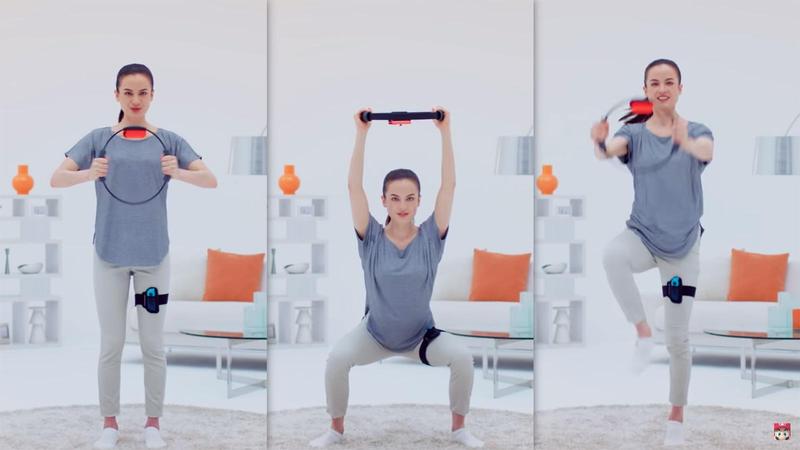
玩RPG也能鍛鍊身體!任天堂新作《健身環大冒險》搭配「Ring-Con」正式發表

The workout machine is still quite primitive. Since the coding part and the position of the device have to be synchronized, it is not a ready-to-use device. We should first do some delicate packaging, and clearly label the direction of the switch. Also, I believe it would be better if we can get rid of the wires and turn to bluetooth instead so that it’s much neater and easier for users to workout.

Filed Under: Recitation

Recitation 2: Arduino Basics

September 24, 2022 by Steve Leave a Comment

Setup

We received our own board on the second recitation. It’s such an honor to own an arduino board, which marks the official starting point of getting deadass.

Unfortunately, it seemed that new boards weren’t as amenable as old ones. The board worked perfectly on my windows platform. However, for my poor deskmates macbook, they appeared to be quite a bit rebellious. I was confused in the first place. Luckily, I realized that wrong channel was selected for my partner’s arduino uno, whose docking should be the serial one instead of bluetooth or wlan whatever.

The other deskmate’s problem turned out to be more mind-boggling. I practiced the exact procedure but still found no USB sign in the box. I suspected that it could be the problem with either the board, the adapter, the cable, or the computer type-c port. We had no way but tried them out one by one. Eventually, it turned out that it was the problem with the board (unexpected).

Though it took quite some time for us to figure out the problem, it was worth practicing. Unlike debugging in a virtual program, we were now performing physical debugging. We learnt how to deal with hot-potatoes.

Circuit 1: fading

https://wp.nyu.edu/nyushanghai-wenbolu/wp-content/uploads/sites/25197/2022/09/f3b70fa6c002d2e8a520a5e6352999e5.mp4

The first example circuit was literally straight-forward. Neat connection. No odd job. It’s worth noting how the for loop iteration works here. Also, in order to prodcue analog output, the program here uses pulse-width-modulation, whose dutytime is given by the fadevalue. Plus one more observation, it seems that arduino has a preference in using camel-case.

Circuit 2: toneMelody

https://wp.nyu.edu/nyushanghai-wenbolu/wp-content/uploads/sites/25197/2022/09/d5a5fbc434ab299aa634839642d362f7.mp4

The building part of this circuit was pretty easy again. However, the programming suggested otherwise. I suppose that here it used some sort of list object to store and vary different melody as well as their duration. It resembles how python works on list objects.


Circuit 3: Speed game

The building part of the third circuit was pretty intricate on the first sight. With a closeup look, it seemed trivial given the connection was essentially symmetrical. However, when it came to practice, the whole thing turned out to be a piece of crap. Two naughty components made it so much more sophisticated. First, it took a rather painstaking effort to tell resistors apart. In the circuit we used 220 ohms and 10k ohms on the breadboard. They pretty much resemble each other. Secondly, the tangling jump wires brought great trouble to identify where they were connected to.

Frankly, when we finished the built-up. It didn’t work. We scanned through all the components. Suddenly, I doubted whether I had connected the two ground on the breadboard together. So, that was what I did, without paying it a closer observation. Unsurprisingly, it didn’t work. After another scrutiny, I found the root of the problem. Instead of not connecting the two grounds, I didn’t connect the two power lines on the board. With it connected, the whole game was now ready to function.


Question 1: Propose another kind of creative button you could use in Circuit 3 to make the game more interactive. Read and use some material from the Physical Computing, Introduction Chapter (p. xvii – p. xxix) to explain why this button would make this game more interactive.

Tom Igoe, in his work, also referred to Chris Crawford when talks about the definition of interactivity. He also adds that “breaking down your
project along these lines will enable you to better focus on your particular challenges”. This specific line enlightens me, while “balance them in a satisfying way, like a good conversation” shows me the exact path in improving the button design.

If we try to describe the switch into the three columns, we’ll find that it inputs the finger’s push, whatever is processed, and with scarcely any output until the very end of the game, which tells you that result. So, the point is, there are an abound amount of input all the way through, however, there isn’t much output, which makes the button and the game less interactive. 

So, in order to make it more interactive, I designed something shown on the right:

Clever Clam Switch


How does it work?

You may wonder. 

Frankly, I simply plan to add two magnets into the button, which generally serve two purposes.

  • Replace the spring used in conventional button that automatically bounces back the button when released;
  • Create a unique damping feeling against the finger when being pressed down, according to how fast you have pressed.

The electromagnets would be connected into another circuit, which allows us to control the current flows through them so that the damping feeling is adjustable. The faster the player has pressed, the greater damping force he will experience. This design gives player instantaneous response as an interactive system, while telling players where they are on the way to success, whether they are close to the triumph, or they need more effort. (Plus, the design pays players a fair life lesson, a true word of wisdom from the God, that

He that shall endure unto the end, the same shall be saved.


Question 2: Why did we use a 10 kOhm resistor with each push button? (Psssst… Go back to your slides for this answer)

The resistor serves as a pull-down resistor. A pull-down resistor generally do two things:

  • It pulls down the input pin voltage reading to ground, avoiding antenna effects in which it absorbs electromagnetic waves and generates readings that we don’t want;
  • It avoids short-circuiting when the switch is closed.

Given the two purposes, we may find that realizing the two purposes seems irrelevant to the resistor value, and I deeply doubt it. I posit that its just a convention, coming from the limitation of resistence value used as a pull-up resistor.


Question 3: In the book Getting Started with Arduino there is a clear description about the “Arduino Way” in chapter 2. Find a project that you find interesting that can be used as an example for these kind of projects. Cite it in adequate manner, include a picture, and explain the reasons that you chose it.

I found this project from a Chinese engineer really “Arduino”. He completed a primitive prototype featuring “turning of the light with the force” ((稚晖君, 2020). The installation allows people in the room to turn off the light with a simple gesture, namely pointing your arm towards the light that you hope to trun off.

稚晖君[ 稚晖君]. (2020, January 28). 【技术宅用原力操纵电灯】这事得从一只蝙蝠说起. . . [Video]. Bilibili. Retrieved September 25, 2022, from https://www.bilibili.com /video/BV1u7411z7rU/?spm_id_from=333.999.0.0

  • He’s a master in tinkering. Also, he actively reused existing technologies. The installation makes use of game engines to veridict the collision of the arm ray and the light.
  • He knows how to prototype stuff. He didn’t bought expensive or cubersome professional equipment. Instead, he used cheap web camera, a computer, and a internet connecting hardware to make everything happen.

Filed Under: Recitation

  • Page 1
  • Page 2
  • Go to Next Page »

Primary Sidebar

Categories

  • Interaction Lab (20)
    • Project (9)
      • Final Project (4)
      • Group Research Project (3)
      • Midterm Project (2)
    • Recitation (11)

Copyright © 2026 · Agency Pro on Genesis Framework · WordPress · Log in