Steve Lu's Documentation Blog

  • Skip to primary navigation
  • Skip to main content
  • Skip to primary sidebar

Project

Final Project: Final Individual Reflection

December 17, 2022 by Steve 1 Comment

矢量的警告标志图片素材-提防疯狗矢量警告标志插画-jpg格式- 未来素材下载

BEWARE OF THE DOG!

Ruilin Wu & Steve Lu

Instructed by Rudi

A. Conception & Design

1. Explanation of Concept

Actively engaging digital and analog media, Be Aware of the Dog attempts to provide a seamless experience for the audience to perceive a dog from two distinct perspectives. On top of that, the project ambitiously(boastfully) explores new forms of interaction. 

2. Conception

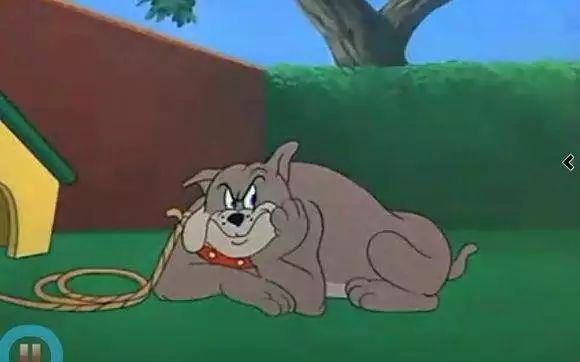
Tom and Jerry - Fit to Be Tied - YouTube

Initially, our idea was to make a physical fluffy dog and its digital twin presented on the screen. Unfortunately, we couldn’t justify the choice of having two dogs at the same time. During the talk with our instructor Rudi, I was inspired and proposed the idea of interacting with a digital dog with physical approaches, and later substantiated the approaches into pulling the leash and feeding bones.

The leash pulled my thought further to the cartoon series Tom&Jerry, in which I remembered a scene where Tom is pulling a long rope to him, believing there to be something good on the other end of the rope, while it turns out to be The Dog and Tom then gets his ass beaten up. The way Tom&Jerry play with the plot, setting up the suspense and afterward breaking your expectancy reasonably, gave me a hint on what we can achieve in our project. The dog should look huge and fierce in shadow, but eventually, turn out to be a lovely dog out of the shadow.


3. The Interaction Expected & The Corresponding Decisions on Design 

The interaction that we are trying realize is a unique interactive narration, with unexpected surprises, just like those one may encounter in Disneyland. We expected users to interact with our project through the leash and the bowl. We took the affordance of our design seriously.
In terms of the leash, we planned to have the leash pulled away from the user gradually, evoking their attention as well as interest in the leash. Later, we found it even better if some textual hint in the design could be involved. On one hand, textual information sets the tone and background of the interaction; on the other hand, texts should clearly anchor interactivity.
Moving on to the dog bowl, we thought the existence of a dog bowl should have given a message clear enough for the audience to feed the dog. We also hinted at the audience in other ways. A dogbone is hung on the dog’s house in the animation, which resembles the looking of the dogbone we offered our audience. Plus, the bones were put right in front of the dog bowl. On account of the above, just in case, we followed the same pattern and provided the audience with an extra textual hint on the screen.

4. User Test & Adaptions

The users learned about our project idea, tested the food bowl, and viewed the animated pictures during the user testing session. In all honesty, the suggestions and comments made by the users are very motivating. Margaret, the instructor, advised that we consider what feelings the users would have that might motivate them to take the second step. In order to prevent users from being scared away by the prior ominous shadow and refusing to feed the dog, we made the adorable puppy leave the house before they could feed it a bone. However, one student questioned how the prompts would fit into our project. We gave it some considerable thought. Using inspiration from the video game Minecraft, we gave the puppy values for hunger and happiness, showing when it is in that state and prompting people to give it a bone. It turns out that both modifications work well and are successful.

One of the things that we were really hesitating about is whether we should leave a hole in the middle of the dog bowl or not. Leaving a hole there adds extra clarity for users to interact with, but somehow isn’t cool enough. Not leaving the hole then requires another mechanism to move the cover around for the bone to drop. We decided to consult our users regarding the unsettled dispute. We’ll discuss this in the following section.


B. Fabrication & Produciton

1. Animation

We started to produce the animation first, and didn’t finish it till very late. Given the notable significance animation played in our project, we put some effort into it. The first technical solution we turned to is Adobe Character Animator, in which I created a puppet whose limbs can be maneuvered around and whose head can tilt corresponding to the movement of my head. The solution was pretty mature except for its particular movement as a four-leg creature. I mean, the three legs that you can see here worked perfectly. The sad thing is that the hidden fourth leg didn’t always disappear. When the puppy moves around, his legs work in turn. My limited technical capability couldn’t solve the temporal overlapping.

So, instead, Rin decided to draw the animation out frame by frame. It was a painstaking process which I will not elaborate on here, but her hard work should be appreciated. Anyway, in terms of the design, there were a few things on the layout that we were extra cautious when dealing with:

Backdrop. We tried to keep the background simple so that users wouldn’t be distracted.

The grass. Rin painted the grass this way specifically to fit the physical grass, that we bought to lay on the table.

Dog house. We put the house right in the front, instead of somewhere far away. We preferred it this way because we wanted the audience to feel as if the interaction were happening right in front of them, at the intersection of the grass.

Movement of the dog. The exact position where the dog stops to eat is designed to fit the location of the actual dog bowl.

The anger & hunger progress bar.Tiny floof has a big angry - I Has A Hotdog - Dog Pictures - Funny pictures of dogs - Dog Memes - Puppy pictures - doge The idea is proposed by Rin. She felt there lacked a smooth transition between the angry dog and the hungry dog. Similarly, during the user test, professor Margaret Minsky also pointed out the discontinuity in emotion.

Why would people want to feed a dog that looks aggressive?

Taking them into account, genius Rinrin came up with the idea of hunger and anger value, giving a crystal clear message that the dog is hungry. Besides, throughout the design, we spared no effort in making the puppy as adorable as possible. You know when puppies get super cute, even their aggression and offense could be interpreted as being cute. Fair enough, people should like to soothe an angry cuuuutttteee puppy. Consequently, we were convinced that the contrastive transition from scary dog to cute puppy ought to have debunked the fear already.

You can picture how people would sigh with relief seeing the cute puppy running out, can’t you?


2. Leash

I have always wanted to make users feel like there’s a real dog at the other end of the leash. So, I borrowed a stepper motor from the equipment room. The reason why I went with the stepper is that the servo motors available were not powerful enough to pull the leash. Though perhaps I could have bought some better motors online, I slacked off a little bit and turned to the easiest way out.

Initially, I tried to control the output of the motor according to how much the user was pulling the leash against the motor. I thought about quantifying the power of the motor’s use. Unfortunately, as I looked into the detailed mechanism of the stepper, I found it completely over my head. There is a lot of intricate physics involved and I couldn’t be sure how the power of the motor varies according to the load. Though I may look into them or conduct some experiments to figure it out myself, I rejected the proposal because of the tight schedule. Similarly, I considered using a force sensor to do the work, but the only available type of force sensor here was a pressure sensor. They don’t work well in my situation.

So, the alternative I thought about to sense the pulling of the leash is to measure its displacement, for which I pictured two ways.

First, is to use a potentiometer. 

Amazon.com: HATCHBOX 1.75mm Black PLA 3D Printer Filament, 1 KG Spool, Dimensional Accuracy +/- 0.03 mm, 3D Printing Filament : Industrial & ScientificI took the empty roll of the 3D printing filaments and found that they may serve as a perfect pulley for the leash. I would be able to know how far the user had pulled the leash if I rolled the leash around the filament role and mounted the whole structure to a centered spindle whose axis is connected to a potentiometer, as well as the stepper motor. Although the stepper could only turn the roll for one revolution due to the structure of the potentiometer, it will allow the leash to travel a remarkably long distance, if the roll is big. Eventually, the plan was abolished because I was afraid that the stepper motor may not be powerful enough to drive the whole, as I thought about its feasibility in physics.

Secondly, plan B, also the one I actually adopted in the presentation of our project, is to use a sliding rheostat. No longer had to worry about the turning limit of the potentiometer, the design largely alleviated the burden on the stepper motor, while running the risk that only a limited amount could the leash be pulled. A string connects the end of the chain, tied around the slider, and is attached to the stepper’s turning wheel. Here’s how it works. In its position by default, the slider is placed down its end closer to the stepper. When the leash is pulled, the string pulls the slider towards the other end of the bar. Once it reaches the end of the bar, it triggers a signal for processing to start the play (namely jumping the video to where the second stage is). Meanwhile, the signal also triggers the stepper to pull the leash back, which 1. stop the signal 2. prepare the mechanism for next interaction. 


3. Dog bowl

The magic of our project is all hidden inside the dog bowl. Its function is quite straightforward, taking the bones in and nothing else. Notwithstanding the simple job, you may find the bowl quite intricate. So frankly, I did run a bit off the trail on the way and wasted some time and materials. Why don’t I tell you the story bit by bit?

  • Dog bone

It all began with the dog bone in the design. In the hopes that the 3D printer would produce a realistic, adorable puppy on the bone, I altered the size of the library model before engraving it on the bone. Naturally, things just became blurry. This demonstrates that the accuracy of 3D printing is fairly constrained. The fine detail might not be portrayed the way we would like. In addition, there is no way that you cannot notice the layers here. I took my time polishing the bones. Frankly, given how minor of a part bones are playing in our project and how much time I invested, it’s not the best use of time. There was unquestionably a mismatch.

  • Detector

The detector I conceived while cooking the bones was an FSR (pressure sensor). Honestly, it was the very first thing I made throughout the project. I checked its parameter and decided to connect the FSR in series with a 1Mohm resistor so that the voltage would show a difference, big enough to be told by Arduino Uno. That’s not wise work, as I reflected on it right now. Two reasons. 1. I spent two to three hours that afternoon, trying to solder everything together. I personally graded the work inefficient because I didn’t know the perfect soldering environment in 823 at that time, and I wasted much time perfecting the solder, which ALWAYS makes things much worse; 2. Despite all the effort, the bone wasn’t heavy enough to trigger a proper response in the FSR. (I thought about embedding a metal component in the middle of the bone during the printing). Even if it worked, the response curve of resistance is initially non-linear, thus it will quickly increase, adding more difficulty. 

I then began looking for another alternative. It seemed like a decent idea to use this IR sensor. I gave it a try and it worked well. In order for the sensor to function, an infrared beam must be emitted. An adjacent infrared-sensitive diode must then catch the reflected beam and convert it into an electric signal. The sensor can therefore determine when an object is positioned close to its front. Turning the blue knob specifically changes the distance threshold. So I worked hard (maybe for an hour) to desolder the diodes and extend them with cables. It performed flawlessly. I then built a sensor hold according to their sizes. The hold, which serves as the bowl’s bottom, was then easily fitted with them within.


  • Servo

The bottom of the bowl, as well as the sensor, are connected to the servo attach. When it senses the coming of the bone, the servo automatically moves the arm aside, and letting the bone in. The cables goes alone the arm and are then connected to the board.


Of course, the bowl is specifically designed to fit my partner’s head.


——————Illustrations down below for better and clearer understanding——————


C. Conclusions

  • Success? Goal Achieved?

The goal of the project is to bridge the virtual and the physical. Through physical actions, the audience can interact with the world within the screen. Then, what happens within the screen serves as feedback to the audience, encouraging them to take further actions. Specifically, we want the audience to interact with the project exactly the way how they would act in real life. In more tangible terms, they are pulling the leash and feeding bones, instead of pressing buttons or so.

I would say the project was a success. Through the hints and the affordance developed purposefully, audience largely followed our design, and carried out the whole interaction. Moreover, from how thrilled they appeared to be, I believed a bond had been built between them and the virtual puppy. Eventually, both users executed the interactions as we planned, and the puppy got successfully returned to his home, full and satisfied.

👇don’t miss it!!! (video nicely embedded by Rin)

P r e s e n t a t i o n


  • Improvements?

One of the major improvements could be with the leash. As suggested by Rudi, the current design probably isn’t optimized. For instance, the chain leash and the rheostat are connected rigidly, which is potentially perilous to the project. On account of the great possibility, the audience pulls hard against the leash, and adopting a hard-wired linkage runs the risk of breaking things off. Rather, Rudi suggested the design shown in the diagram (if I understood it correctly). Attaching the chain to a spring and a strong servo subtly bypasses the jeopardy we mentioned above. Moreover, given Hooke’s law (namely the spring extends when it is pulled), adopting the spring here permits an extended redundancy for the audience to pull.

  • Lessons?

There are many lessons that I learned throughout the project. Some with the techniques, and others with the time management skills in making a project.

1. 3D printing

I learned how to design in 3D and prepare the model in slicers, though those skills are immature still. Many of the designs could have been optimized. As for the base shown here, given the size, I went for an infill of around 5%, which did save some time but sacrificed the smoothness of the surface as well as the strength. Andy, professor Garcia from the fabrication lab then suggested that I could actually make the thing hollow, and print it with a higher infill, which saves the material and time, and produces a structure with guaranteed strength and smoothness.

The other thing I learned is that printers run with tolerance. The model I designed, which should perfectly hold the Arduino Uno, the sensors, or even the servo, didn’t fit in. They were bigger than I thought. Fortunately, this can be solved. I heated them up with a heat gun and inserted the components, while the PLA shrunk as it cooled down, it squeezed into those components and produced a better stiffness. Well, also, unfortunately, that didn’t work well with the servo hold. As I made the sides too thin and without proper reinforcement on the outside, the whole top fell off. So, eventually, I heated up again and stuck it back in. Afterward, I simply wrapped it with tape.

2. Soldering

I believed I had to utilize a H bridge because I used a stepper in the project. Soldering the chip to the shield and all the extended wires took a lot of my time. Despite the lovely work, I could just as easily use a drive board. I’ve learned from this experience to never create a wheel from scratch again if it is already made.


  • Final Say

Humans interact THROUGH technology,

rather than humans interacting WITH technology itself.

———  Edmonds, 2011

Wow, exactly what we want to achieve in the project. A seamless experience of blending the digital and the physical, as I denoted somewhere above, is our ambition. And standing here, I’ll say we have achieved the goal (most of it, if you find it boastful). In making the project, my partner and I dedicated ourselves to hide the technology, from the dog bowl, to the digital puppy.

We place a strong focus on interactivity to make the feeling that you are actually standing here on the lawn squarely in front of a dog house. Particularly, we covered the table with fake grass and other props, and concealed the motors, and wiring, in order to lessen the presence of technology and utilize it as a tool for engagement rather than the actual act of interaction.

On top of that, our project succeeded in attracting the audience’s attention and sustaining it. Let’s talk about how attractive it is. Undoubtedly, our project looks appealing and distinctive. It’s appealing because of the setup, it takes up an amount of space, creating a magic circle around the lawn. Bones, dog bowl, and leash scatter among. It’s distinctive because of the setup, we don’t have a wooden box on the table. Instead, what you see is what you see. Every single thing on the lawn could be a prop.

Then how it sustains attention then? To actively keep the audience involved, we created progressive interaction. The value of hunger and happiness, for instance, will continue to decline if the user does nothing and the puppy is unable to receive its food. On the other hand, if the user gives the puppy a bone, the dog will become joyful. This is saying that the circumstances are determined by user behavior.

I’ve come to realize how important collaboration is while completing a challenging and intricate assignment. We clearly divide up the work, but Rin and I also appreciate each other’s opinions. We never hesitate to solicit one other’s perspectives when it comes to significant issues that fall within the purview of our duties, coming to an understanding prior to beginning the task. In general, it was enjoyable to work with her.🙂

—This Is It!—

—Farewell To the Unbelievable Semester, and The Interaction Lab—

D. Annex

Processing Code

import processing.serial.*;
import osteele.processing.SerialRecord.*;
import processing.video.*;

Serial serialPort;
SerialRecord serialRecord;
Movie video;

PFont cute;

int state = 2, bone_state, pull_state;
boolean runChecker1 = false;
boolean runChecker2 = false;

void movieEvent(Movie m) {
  m.read();
}
void setup() {
  cute = createFont("BalonkuRegular-la1w.otf", 128);
  frameRate(25);
  imageMode(CENTER);
  background(0);
  //fullScreen();
  size(1920, 1080);
  textFont(cute);

  //String serialPortName = SerialUtils.findArduinoPort();
  //serialPort = new Serial(this, serialPortName, 9600);
  //serialRecord = new SerialRecord(this, serialPort, 2);
  //serialRecord.logToCanvas(true);

  video = new Movie(this, "video.mp4");
  video.loop();
}

void draw() {
  println(video.time());
  //serialRecord.read();
  //int pull_state = serialRecord.values[0];
  //int bone_state = serialRecord.values[1];
  
  if (pull_state==1) {
    state = 1;
  }
  if (bone_state==1 && state==1) {
    state = 2; 
  }
  
  // sleep by default
  if (state==0) {
    if (video.time() > 3) {
      video.jump(0);  
    }
    image(video, width/2, height/2);
    tint(255, 50);
    if (video.time() % 3 <1) {
      sleep();
    }
  }

//  // pull leash enter anger angry and come out
  else if (state==1) {
    image(video, width/2, height/2);
    if (runChecker1==false) {
      video.jump(3.2);
      runChecker1 = true;
      }
    if (video.time() > 20.8) {
      feed();
      video.jump(19);
    }
    if (video.time() >19) {
      tint(255, 99);             
      feed();
    }
  }

  //go for bone and return
  else if (state==2) {
    image(video, width/2, height/2);
    if (runChecker2==false) {
      video.jump(21);
      runChecker2 = true;
    }
    if (video.time() > 38) {
      runChecker1 = false;
      runChecker2 = false;
      delay(5000);
      video.jump(0);
      state = 0;
    }
  }
}

void feed() {
  textSize(80);
  text("Puppy's not happy,", 0.58*width, 0.53*height);
  textSize(65);
  text("Why not", 0.58*width, 0.63*height);
  text("him something?", 0.68*width, 0.72*height);
  textSize(135);
  text("feed", 0.76*width, 0.64*height);
}

void sleep() {
  textSize(80);
  text("Puppy's sleeping,", 0.62*width, 0.3*height);
  textSize(180);
  text("PLZ!!!", 0.62*width, 0.48*height);
  textSize(80);
  text("don't pull the leash,", 0.55*width, 0.59*height);
  text("it'll disturb him!", 0.55*width, 0.67*height);
}

Arduino Code

#include <Stepper.h>
#include "SerialRecord.h"
#include <Servo.h>

Servo myservo;  

// for serial record setup
SerialRecord reader(1);
SerialRecord writer(2);
int slide; // from sliding resistance, know how much it goes
int bone_state = 0; // to send whether there's bone in the bowl
int pull_state = 0; // to send whether the leash is pulled enough
bool infra = true;

bool runChecker = false;
unsigned long time;

// for stepper setup

const int stepsPerRevolution = 200;  // change this to fit the number of steps per revolution
// for your motor
// initialize the stepper library on pins 8 through 11:
Stepper myStepper(stepsPerRevolution, 8, 9, 10, 11);

void setup() {
  Serial.begin(9600);

  myservo.attach(12);

  // set the speed at 15 rpm:
  myStepper.setSpeed(15);
}

void loop() {
  leash(); // control stepper motion
  boneCheck();
  writer[0] = pull_state;
  writer[1] = bone_state;
  writer.send();

}

void leash() {
    // step one revolution  in one direction:
  slide = analogRead(A0);
  if (slide==1023) {
    pull_state = 1;

    // for the stepper motor to pull the leash back a bit
    step();
  }
  else {
    pull_state = 0;
  }
}

void step() {
  // step 1/100 of a revolution:
  if (!runChecker) {
    time = millis();
    ! runChecker;
  }
  while (millis()-time<=5000) {
    myStepper.step(stepsPerRevolution / 100);
  }
}

void boneCheck() {
  if (infra==true) {
    infra = digitalRead(3); 
    myservo.write(140);
    runChecker = false;
          // Serial.println(infra);
  }
  if (infra==false) {
    if (runChecker==false) {
      time = millis();
      runChecker = true;
    }
    if (millis()-time<3000) {
      myservo.write(180);
      bone_state = 1;
    }
    if (millis()-time>=3000) {
      myservo.write(140);
      bone_state = 0;
      Serial.println("ueeu");
    }
    if (millis()-time>=4000) {
      infra = true;
    }
  }
}
Filed Under: Final Project

Final Project: Proposal Essay

November 25, 2022 by Steve Leave a Comment

BEWARE OF THE DOG!

Purpose 

Actively engaging digital and analog media, the project attempts to provide a seamless experience for audience to perceive a dog from the two distinct perspectives. What we are trying realize is a unique interactive narration like those in Disneyland. The project should be engaging to audience who are willing to explore.

Creative Process

Initially, we were thinking about a digital twin of a physical fluffy puppy that somehow viewers can interact with physically so as to provide them comfort. During the process of nailing the terms down, we noticed the dislocation, namely why two dogs? We proposed several ways to coordinate the two, as synchronizing their movement, or replacing the puppy’s eyes with an ultrasonic radar to know the viewers location so that they can both follow. Still, the problem remained unsolved. Why are there two puppies around? How can we make sense of one dog in the context of another? Is it the out-of-body spirit of the physical dog? Or the physical embodiment of the ghost dog? We found it uncanny in either way.

猫和老鼠里打一手好酱油的大狗,你还记得吗?

Thus, I started to brainstorm on how to solve the discontinuity in interaction. Is there anything that we can interact with a dog without direct physical contact with its body? Eureka! The creativity emerged out of nowhere. It was The Dog, appearing in Tom&Jerry cartoon, that suddenly occurred to me. I recalled the iconic collar around his neck, and how he’s always tied to a tree or his dog house with a leash. To be more specific, I remembered a scene in which Tom is pulling a long rope towards him, believing there to be something good on the other end of the rope. Unfortunately, it turned out to be The Dog. Tom then gets his ass beaten up.

In short, leash is the key to the question!

Plan

The overall setting

A TV stand suspends the TV half way in the air. A large table is arranged closely in front of the TV, with a particular height that has its top perfectly aligned with the content that is displaying. 

The TV presents a cartoon-like scene, with a dog house in the middle on a lawn. Coordinately, a piece of lawn is going to be laid on the table, pretending as if the table is a seamless extension of the space inside the screen. (One alternative, that Rudi proposed, and is super cool but I haven’ think about it thoroughly yet, is that, for the animation that we are playing in the screen, shooting through a window. In this way, we make active use of the sense of seperation created by the flat sense of the television, and subtly involve it as part of the experience).

A chain leash, extending from the dog’s house to the audience, is connected to a strong motor under the table. The self-feedback motor should give the mechanism the ability to mimic the movement of a dog, so that the viewers feel as it there were a real dog at the other end of the leash. The TV display coordinates with the leash, responding to viewers’ pull, by animating the shadows of the dog, or by vocalizing its growling.

A dog’s bowl, placed on the table, is specially designed. Once dog food (or maybe dog food analog, not intending to make audience’s hands stinky with that Lmao) is placed into the bowl by the audience, it senses and automatically open its bottom so that the dog food falls in and disappears. Magically, the dog food will reappear on the screen! Subsequently, the digital dog will run out, swallow the food, and run back to its house.

How to make it happen?

The two major challenges is clearly stated.

One, is the animation.

The other, is the leash. 

Character Animator CC 2019 in Hindi: 4 Leg Animal Character Walk Cycle Step by Step - YouTube

In the preliminary stage of my research, I noticed some software like Adobe Character Animator. The software provides powerful functions for 2D animation production. On the top of that, there are many tutorials available online. 

So, for the next few weeks, we’ll try to get our hands on the software and experiment what we can do with it.

In terms of the leash, I have come up with several potential technical solutions. I’ll reach out to the professor to nail down which exactly we are goning to use in the following weeks. Another more crucial aspect of the leash is that the experience matters. Since we plan to make an illusion that there’s one dog over there pulling against you, definitely we have to study its pattern, plus doing multiple user tests to see if we are getting what we want. We’ll be invested in refining the experience.


Filed Under: Final Project

Final Project: Three Project Proposals

November 21, 2022 by Steve Leave a Comment


See! Firworks!


This project visually reproduces fireworks. From how we light it up, how the blasting fuse burns, to how the fireworks explode in the sky, the project aims at providing viewers with an immersing experience of setting off their own fireworks. 

The preoccupied target audience is Shanghainese and those Chinese living in the big cities, while others could also be involved as potential audience. Since the introducing of fireworks ban, fireworks and firecrackers have then been removed from our life. However, the ritual has been part of our culture and our unique experience of growing up as a kid in China, especially during the Chinese New Year.

I have few knowledge about the categorization of interactive design. So, I cannot really name it here. 


You Are What U Speak


This project predominantly focuses on the inextricable link between one’s identity and his speech.

Through real-time figure capture, deconstruction, and reconstruction using fragmented texts, this work of art scrutinizes the duality existing in the connection. Not only we subliminally modify our behavior—and even our thought processes, according to the language we speak, but also the way we talk to others forges their perception about us.

In terms of the art, viewers per se are granted the chance to take a deeper look at themselves from a brand new perspective. Plus, the experience of seeing their textual figures visioned by others creates a visual echo with the perceptual point of view.

Perhaps this work of art falls into the category of conceptual art. 


How Well Do U Know


This project is a refined version of the midterm Match Maker project. This helps couples, friends, or even parents and children to test how well they know about each other. Inspired by Rudi, the targeted audience of the project is no longer limited to lovers that are eagar to express their love. Instead, the project aims to create chill experience for all users.

Supported by processing, it’s trivial to visual questions on the screen. As questions are presented, the two have to answer the questions individually without knowing each other’s choice. If they answer the question correctly, they score up; if not, they will be punished, and this is where arduiono interaction can play its role.

I suppose this work of art can be categorized as kinda a game.

Filed Under: Final Project

Final Project: Preparatory Research & Analysis

November 14, 2022 by Steve Leave a Comment

Case Studies

Greetings! After another boring but educative essay-reading session, now I would like to bring to you

Musical Fish

Audio Aquarium

by Gerogia Tech scientists.

The researchers claimed that they would like to help those with hearing disabilities enjoy aquarium. They use camera to caputre the different movements of fishes and corrolate them to particular musical instrument with varying tempo and pitch.

What I find most intriguing about this installation is that, despite seemingly solely based on the movements of fishes, it actually falls into what Edmonds denotes as dynamic-interactive(varying) (3). Fair enough, you shall ask why. Edmonds describes the system as “with the addition of a modifying agent (could be a human or it could be a software program) that changes the original specification of the art object” (3). In this auditory aquarium, fishes are the agent. They indefinitely change the specification of the art. On the top of that, their movement are also subject to human interaction. In a word, fishes per se involve great physical computing, which is further combined with the music generator, generating a high level of unpredicability.

Meandering River

This audiovisual installation is consist of real-time generating art by algorithm and AI composed music.  It mimics the shifting behaviors of rivers by showing how they change the surface of the earth, from a bird’s eye view. The orientation brings forth a new perspective for people to conceptualize space and time from a much greater scale.

This project can be regarded as an excellent digital artwork, but in terms of interaction, it doesn’t do well. According to my understanding, it belongs to the “Dynamic-Passive” category, defined by Edmonds. This kind of work “has an internal mechanism that enables it to change” (Edmonds 2011). Here, this internal mechanism should be the AI algorithm built in the program. There is interaction exists, for the viewers observe the amazing change of the nature, which they cannot perceive in their normal life, and generate some feelings, insights, or new thoughts in some ways. Overall, the change of the meandering river changes viewer’s mind and (probably inner world) without the viewer’s engagement. That is a one-way and one-time interaction, which might leave some impacts but is neither long-term nor interactive enough.

In scope of Edmons’s theory, this work of art should be catogorized as “dynamic-passive” (2). Some may argue that the project lacks interactivity, which of course, I acknowledge it as well. Notwithstanding that aspect, I find there’s something innovative about the project. In his essay, Ernest Edmonds focuses on the dynamic-interactive cases of interactive art, from which he unfolds four kinds of interactive systems, including responding, varying, influencing, and communicating (13). Apart from that, he also emphasizes the long-term engagement aspect of interactive art. Leave the artifact in the street and allow people to revisit it every day, a long-term and developing engagment can be found.

My concept

From the very start of our group research project, I define an interactive project as a device that involves input, processing, and output. The experience that I gained from developing midterm project hinted something inspiring to me, that for a interactive project to succeed, artists should weigh user test and revision more, but both of them have to be conducted in an already-set pattern.

From what I read in paragraphs on conceptual art by Sol Lewitt, the functions of conception and perception are naturally contradictory. What it means by this contradiction is that the work of art can only be perceived after it’s completed, while the process of conceiving an idea must happen before the production. To keep the idea straight, one should bear in mind to avoid the subjectiveness and arbitrariness along the creative process, and one good way to make it happen is to follow a pre-set plan. It’s not saying that nothing new will come in halfway, but rather how the idea is enriched and developed need to be in control. 

In terms of the user test, perception of the art always involve “the apprehension of the sense data, the objective understanding of the idea and simultaneously a subjective interpretation of both”, denoted by Lewitt. So it works for the perception of an interactive work of art. Artists have to be aware of the physicality the artifact presents, in scope of the three points, so that the preoccupation to a certain audience may be better.                                                                                                                                                                                                                                                                                                                                                                                                                                                                                                                                                                                                                                                                                                                                                                                                                                                                                                                                                                                                                                                                                                                                                                                                                                                                                                                                                                                                       

Filed Under: Final Project

Midterm Project: Individual Report

October 25, 2022 by Steve Leave a Comment

Match Maker

-Chaoyue Yuan & Steve Lu

-Instructed by Rodolfo Cossovich


B. Context & Significance

Speaking of how the group research project inspired my creative process. there indeed are many resemblances between the two. The idea of creating a connection between people is much inherited. Like the attempt we made in the group research project to resolve the power dynamic by putting people into others’ shoes, I still dedicate to dealing with the imbalanced power dynamic within another kind of relationship, which is a romantic relationship (at the least that was something that I would like to do in the first place).

Notwithstanding the previous project, I contemplated how to diversify the interactivity involved, based on the precious feedback from fellow students and dear professors. Frankly, in the group research project, there’s little physical computing involved and rather monotonical interaction seems too straight and deadpan. Consequently, I decided to engage more visual and auditory feedback in my midterm project.

I found how games, especially fighting games, visualize the status of their characters with different colors. Like a continuous change in hue or saturation that gives a spectrum of different shades of color, which gamers intuitively see how far they are from winning or whatever. So, I decided to appropriate the design of games. The interactivity involved in my project reasonably then resembles that in arcade game machines. Gamers interact with the game machine in the first place in terms of buttons and visuals and thus interact with the game partner via the machine.

The targeted audience, at the initial stage, is those who want to express their affection but not willing to risk losing the relationship if the attempt fails. I believe the idea is unique, as it focuses on a fairly specific spot in our life and the creative process is quite spontaneous, since, frankly the idea just came to me in class while I was reflecting on my life and daydreaming about the future. It serves a special value to the targetted audience because it solves the life-or-death problem many faces when they consider whether to express their love. The project sweeps out the most inhibiting obstacle in the way, so that, ideally, people should be more willing to share their thought, without backpedaling all day long and doing nothing. However, as Rudi pointed out, the initial idea gradually got worn out in the process.


C. Conception & Design

The design of the user interface is aligned with the initial intention that the project should help people with the “anonymous expression of love”. We found that it is critical to keep the two from seeing each other’ choice so that the less movement involved, the better. As a result, we went for buttons, with consistent colors with yes & no, identifying the affordance. The original design is to have the two sit across the table so that they are face to face, and have the buttons in front of them. Later, due to practical limitations, we failed to make it happen but went for an alternative to what the project appeared to be now. Though we thought about the design thoroughly, there was always something unexpected. In more tangible terms, it was not until later we had the whole project presented to users, that we realized it was counter-intuitive to have the “no” buttons on the top, from the feedback of our friends.

Another option that we had been considering is to use a heart rate sensor to make decisions. Or, to use a heart rate sensor to control the visuals. Unfortunately, the idea turned out to be a bit impractical, given that people’s heart rate varies and it’s not promising to anticipate the same increment in heart rate for different people if they fall in love or not.


D. Fabrication & Production

SUPER hard!!! Forgive me for starting the documentation with an exclamation. At the conceiving stage, I thought the logic would be clear and the coding should be trivial. Unfortunately, as soon as I got my hands on the project for real, the whole thing turned out to be extremely tricky (I mean, outrageously hard).

  • Buttons!

The first problem that we encountered, is that the pushes of buttons are highly asynchronous. Unlike the scenario that one button is involved, where the conditional is straightforward, or the speed-pushing sample that we had gone through during the recitation, the coordination of two buttons came to me as unpredictably difficult. To articulate the problem, with a pull-down resistor bound, the untriggered state of buttons is low. Consequently, only at the split seconds when they press the button, will there be a high state input. Sadly, people usually don’t know each other that well so they don’t press the buttons simultaneously, which means the conditionals require us to store the input state for a while. Luckily, I brainstormed for a while and realized, namely what we had to do was to come up with a way to lock the HIGH value as long as it appears.
To test if the idea worked, I proposed to build a prototype first, whose significance we had studied for a long in recitations as well as group research projects. Even the simple prototype didn’t function as I pictured. After an energy-exhausting painstaking exclusion, I ascertained that the problem was with the breadboard… The breadboard was replaced, the problem was solved.

https://wp.nyu.edu/nyushanghai-wenbolu/wp-content/uploads/sites/25197/2022/10/6ab13d2e1deb54d0165869c7c71e519a.mp4

  • Visuals!

The second problem had to do with visualization. We decided to use an LCD screen to hint to users. We first used an express edition of the LCD screen which was borrowed from Andy (ER doesn’t have what it claims to have!!!). I figured out how to run the LCD as well as the MP3 module in an hour. Though it didn’t function in the first place, I managed to make it work after doing a bit of research about i2c and the address stuff. Something more tricky is the fact that the MP3 module took up RX and TX slots makes it annoying. Fortunately, Rudi told me that they could be remapped to other slots with programming. Everything went smoothly so far.

However, working with the advanced LCD was a pure nightmare. The wiring of the LCD screen was disastrous, as it essentially took up every slot on the Arduino Uno board to run at full function. Well, we cannot do that, since it would be more challenging to have two Arduino Uno boards work coordinately using the same program. Eventually, I figured out the solution during the class of neuroscience (Eureka!). Thanks to the four pins designed for SD card storage, it’s possible to have them not connected. So, I, simply, jumped wires across the LCD to a breadboard first, then connected to the UNO. Adding on to that, I clustered the pins together and taped around them in case anyone of them dropped off accidentally, as well as tidying things up.

  • Lack of slots!

The next problem occurred immediately. The LCD took up too many digital output slots that should have been intentionally left vacant for the button controls. Thankfully, I noticed that it was possible to designate the analog slots to fulfill the digital function, after doing some research on the Internet. So, I assigned A5 to be a digital slot.

  • Game design nightmare!

Though it took me a lot of time to tackle the LCD, its visual is nothing worthy of the fanciness of a neoPixel light strip. I was confused by the 4-digit 8-bit hexadecimal address coding for color. Luckily I was hinted by the library that using a method of .Color could easily complete the transformation.

Well, apparently I was already exhausted in making sense of the hardwares, way before the logic of the game, which later turned out to be much more difficult. If you want to know my struggle, take a glimpse at the annotations around the code down there, then you know what I have been through…

  • User test!

During the user test, we received a lot of valuable suggestions from my fellow students, learning assistants, and professors. They pointed out that the affordance of the project could be further improved by hinting audience visually or physically, like putting hand pads on the two sides. Rudi gave suggestions on having a startup, which provides an alternative for the users to get familiar with the project. Taking these great ideas into consideration, and we decided to add textual hints around the buttons and bring forth a game training session before the game.

Despite all the efforts I have put into the project, there’s no denying that I did deviate from my origin intention. We started up with a simple idea, which made us doubted if it would be too pale or too trivial. So, we decided to involve multiple questions and the leveling up systems, and by this time, the questions had already been designed not for the so-called “love express facilitator”, but rather a kinda blind dating app.


E. Conclusions

The goal of my project is to help people overcome the intimidating consequence of love expression. The project per se aligns perfectly with my definition of interaction. The project has many similarities with games, in which gamers have a certain extent of authority to write their own story. For different choices they make, there are gonna be different feedbacks, and subsequently, forward the game to the next stage. In terms of our audience’s response, I think they all knew what to do without informing them of anything in advance. So, I took that as a success. However, the project does not align with our initial goal, as we mentioned earlier. In the process of making it, I thought too much about adding something fancier, which distorts the focus of the work into a blind dating machine but the original idea was lost on the way. What a pity!

The lesson I took from that is that I should always write the ideas down, especially the founding ideas. Whenever I come up with other new features or ideas, it’s important for me to interrogate them, to see if they serve the original expression, or if they are simply ornamental and distractive. There’s no such thing as encompassing, but what really matters is that every component in the artifact should serve a central purpose.

There’s also something positive drawn from the achievement. From a technical aspect, I have dealt with various technologies in this project, which undoubtedly strengthens my ability in coding as well as hands-on work. Adding on to that, the cheerful vibe that we had throughout those hardworking nights was especially unforgettable.

If we had more time to do the project, the priority would be to do more user tests. It occurred to me that the feedback from the users was critical indeed in polishing the artifact as well as making sense of the project from a different perspective, which helps us to correct the path along the way. The other thing that I am gonna do is to develop a pre-game training session (underdeveloped but u can see it there in the program) for users to know how to play with it. The third thing, which is more technical, is to figure out the reason for the gigantic delay. There’s no denying the deadly problem, but indeed we had eliminated it before. It recurred as I added the pre-start display. I believe if given sufficient time, I could make it happen. The final, and most important thing I would do, reflects on my creative process, and adjust the project to fit the original intention.

As the significance of the project has been articulated previously, here I would like to talk more about the process that we made it happen, and why it matters. Despite so many fancy technologies involved in the project, they did not align with the original idea. If you want a good analogy for our failure here, think of an essay with flowery language but without a focused theme. It’s cautionary advice for my future exploration in art discipline as well as product design, that simply piling up technologies or fancy components does no good, until they are arranged in such a way that they closely serve a focused theme or concept.

Making something out of a sketch is indeed an experience. Although it seems to be that the grand party that lasted days and nights suddenly came to an end, the memories that gathered during these days would be treasured. I suppose the day is going to be one of the images that slide through when I am about to die one day. Would you recall my face and my name years after, Rudi? (though I found you already struggling with recalling my name LOL)

F. Annex

Well, the full code is gonna attached below, but it’s outrageously long though I intensively used function to simplify it. So, don’t bother reading them.

// for tft LCD display
// some of the following code is based on the example code included in the library
#define BLACK   0x0000
#define RED     0xF800 //for color
#define WHITE   0xFFFF // 这行代码有什么用,用来维护世界和平 (fill color必须用hex!) 或者其实刚刚才发现 pixels.Color(r, g, b, w)可以直接转换
#include <Adafruit_GFX.h>
#include <MCUFRIEND_kbv.h> //for lcd display
MCUFRIEND_kbv tft;
// for NeoPixel
#include <Adafruit_NeoPixel.h>
#ifdef __AVR__
#include <avr/power.h>  // Required for 16 MHz Adafruit Trinket
#endif
#define NUMPIXELS 140  // Popular NeoPixel ring size
#define PIN 19  // On Trinket or Gemma, suggest changing this to 1
// When setting up the NeoPixel library, we tell it how many pixels,
// and which pin to use to send signals. Note that for older NeoPixel
// strips you might need to change the third parameter -- see the
// strandtest example for more information on possible values.
Adafruit_NeoPixel pixels(NUMPIXELS, PIN, NEO_GRB + NEO_KHZ800);
// claim button pins
#define yes1 13
#define yes2 10
#define no1 11
#define no2 12
// claim variables to store buttons' state
int yes_1=0;
int yes_2=0;
int no_1=0;
int no_2=0;
int increment = 0; // to pass results to the telepathy
int telepathy = 0; // to count the number of winning
int questionStage = 1; // to enter different stages on the game
unsigned long time = 0; // is not used in the code, so far
bool runChecker = false; // so that the line will only run once in the loop
bool runCheckerFinal = false; // for the final stage neopixel to only display once
bool gameInitiator = false; // to start the game
// for lcd Display
char* display[] = {"0", "Do you likeeating out?", //claim string set
"Are you an adventurous person?",
"Do you likegoing to   the gym?",
"Would you  prefer an    outgoing partner?",
"Can your partnerhave a best     friend of the   opposite sex?",
"Is it important that you see youpartner every   day?",
"Do you like the personin front of you?"
};
void setup(){
  Serial.begin(9600);
  pinMode(2, INPUT);
  pinMode(3, INPUT);
  pinMode(4, INPUT);
  pinMode(5, INPUT); //claim pinmode for buttons
  // These lines are specifically to support the Adafruit Trinket 5V 16 MHz.
  // Any other board, you can remove this part (but no harm leaving it):
  #if defined(__AVR_ATtiny85__) && (F_CPU == 16000000)
  clock_prescale_set(clock_div_1);
  #endif
  // END of Trinket-specific code.
  pixels.begin();  // INITIALIZE NeoPixel strip object (REQUIRED) 你猜因为漏了这行代码我查了多久? 一个多小时你妈的 10.22
  uint16_t ID = tft.readID();
  tft.begin(ID);
  tft.fillScreen(BLACK);
  tft.setRotation(1); //initialize the LCD screen
}
voidtelepathyValue(intinc, intrunStateReporter=0){
  // to check and record how many questions they have answered correctly, call led to visualize
  // use default runStateReporter to different normal neopixel light effect, from the stateupdate at the end of each round
  telepathy += inc;
  // wonder if this switch case statement could work, much neater, instead of if statment
  switch (telepathy) {
    case 0:
      ledStripe(0, 1);
      increment = 0;
      break;
    case 1:
      ledStripe(0, 3);
      increment = 0;
      break;
    case 2:
      ledStripe(0, 5);
      increment = 0;
      break;
    case 3:
      ledStripe(0, 7);
      increment = 0;
      break;
    case 4:
      ledStripe(0, 12);
      increment = 0;
      break;
    case 5:
      ledStripe(0, 14);
      increment = 0;
      break;
    case 6:
      ledStripe(0, 17);
      increment = 0;
      break;
    case 7:
      ledStripeHuge();
      increment = 0;
      break;
  }
  if (runStateReporter==1) {
    stateUpdate();
  }
}
void loop(){
  initiator();
  if (gameInitiator == true) { // to start the game
    buttonReadSaver(); // to read the buttons and lock them up until the end of one round
    question(questionStage); // to forward the stage of the game while also avoid the annoying function of loop that runs the former one over and over again
    // buttonChecker(); // check if the buttons work or not
    telepathyValue(increment); // with the second input as default, making the circling LED effect, without LCD display on
  }
  else {
    beforeStart();
  }
}
void lcdDisplay(char b[], int position=0, int fontSize=8){ // passes string for LCD display
  tft.fillScreen(BLACK); // to clear the screen after each question is answered?
  tft.setCursor(0,position);
  tft.setTextColor(WHITE);
  tft.print(b);
}
void fuckyou(){ // restore the variables to original state to get ready for the next round
  yes_1=0;
  yes_2=0;
  no_1=0; //directly assign value to the variables without using "int", so that changes the variable as global instead of definning a new local variable
  no_2=0;
  runChecker=false;
  questionStage ++;
  tft.fillScreen(BLACK); // to clear the screen after each question is answered?
    // delay(1000); // may not be necessary because the auto delay going on
}
void buttonReadSaver (){ // read out the buttons and lock them once they reach HIGH
  if (yes_1==1) {
    yes_1==1;
  }
  else {
    yes_1 = digitalRead(yes1);
    delay(1);
  }
  if (yes_2==1) {
    yes_2==1;
  }
  else {
    yes_2 = digitalRead(yes2);
    delay(1);
  }
  if (no_1==1) {
    no_1==1;
  }
  else  {
    no_1 = digitalRead(no1);
    delay(1);
  }
  if (no_2==1) {
    no_2==1;
  }
  else {
    no_2 = digitalRead(no2);
    delay(1);
  }
}
void question(int question){
  if (runChecker == false) {
    if (questionStage==5 || questionStage==6) {
      tft.setTextSize(5); // set font size in case any outside change
    }
    else {
      tft.setTextSize(7);
    }
    lcdDisplay(display[questionStage]);
    // Serial.println(display[question]); // for preliminary check
    runChecker = true;
  }
  if (questionStage==7) { // the final question is peculiar that doesn't follow the matchup convention used in previous quesitons
    if (yes_1==1 && yes_2 == 1) {
      // lcdDisplay("You Match!!!");
        // Serial.println("great job"); // for preliminary check
      fuckyou();
      increment = 1;
      telepathyValue(increment, 1);
      lcdDisplaySucc();
      gameInitiator = false; // reset game to resting stage
    }
    if (yes_1==1 && no_2 ==1 || no_1==1 && yes_2 ==1 || no_1==1 && no_2 ==1) {
      // lcdDisplay("Uh-Oh    No Match");
      // Serial.println("try harder");
      fuckyou();
      increment = 0;
      telepathyValue(increment, 1);
      lcdDisplayFail();
      gameInitiator = false; // reset game to resting stage
    }
  }
  else {
    if (yes_1==1 && yes_2 == 1 || no_1==1 && no_2 ==1) {
      // lcdDisplay("You Match!!!");
        // Serial.println("great job"); // for preliminary check
      fuckyou();
      increment = 1;
      telepathyValue(increment);
    }
    if (yes_1==1 && no_2 ==1 || no_1==1 && yes_2 ==1) {
      // lcdDisplay("Uh-Oh    No Match");
      // Serial.println("try harder");
      fuckyou();
      increment = 0;
      telepathyValue(increment); // to check and record how many questions they have answered correctly, call led and lcd to visualize
    }
  }
}
void buttonChecker(){ // check if the buttons work or not
  // Serial.print(yes_1);
  // Serial.print(yes_2);
  // Serial.print(no_1);
  // Serial.print(no_2);
  Serial.println(increment);
  delay(1);
}
void ledStripe (int initialPixel, int pixelNum) { // light up the pixel with both filling colors and also visualize different stages
  pixels.fill(WHITE, 45, 90); // decide what the filling color would be
  pixels.show();
  // Serial.println("led works"); // to check if the function has been called correctly, so that we know that if the LED doesn't work, it must have to do with something else
  time = millis();
  while (millis()-time<=50) { // Pause before next pass through loop
    pixels.fill(0, 6, 39); // don't fucking 你妈的用 pixel.clear()!! 你妈的全局清空,fill还有什么用?
    pixels.show();
  }
  for (int i = initialPixel+6; i <= initialPixel+pixelNum+6; i++) {  // For each pixel...
    time = millis();
    while (millis()-time<=50) { // Pause before next pass through loop
      pixels.setPixelColor(i, pixels.Color(255, 0, 0));
      pixels.setBrightness(128);
      pixels.setPixelColor(45 - i, pixels.Color(0, 0, 255));
      pixels.setBrightness(128);
      pixels.show();      // Send the updated pixel colors to the hardware.        
      // pixels.setPixelColor(i, pixels.Color(0, 0, 0));
      // pixels.setPixelColor(45 - i, pixels.Color(0, 0, 0));  
      // pixels.show(); // add a piece of code here can make do running effect
    }
  }
}
void ledStripeHuge () { // for the final stage of the game
  while (runCheckerFinal == false) {
    runCheckerFinal = true;
    while (millis()-time<=50) { // Pause before next pass through loop
      pixels.fill(0, 6, 39); // don't fucking 你妈的用 pixel.clear()!! 你妈的全局清空,fill还有什么用?
      pixels.show();
    }
    for (int i = 6; i <= 23; i++) {  // For each pixel...
      time = millis();
      while(millis()-time<=50){
        pixels.setPixelColor(i, pixels.Color(255, 0, 0, 128));
        pixels.setPixelColor(45 - i, pixels.Color(0, 0, 255, 128));
        pixels.show();      // Send the updated pixel colors to the hardware.        
        pixels.setPixelColor(i, pixels.Color(0, 0, 0));
        pixels.setPixelColor(45 - i, pixels.Color(0, 0, 0));  
        pixels.show(); // add a piece of code here can make do running effect
      }
    }
    while (millis()-time<=500) { // fill out the pixels on the heart with nothing, namely doing a partial clear
      pixels.fill(0, 6, 39);
      pixels.show();
    }
    for (int i = 23; i >= 6; i--) {
      time = millis();
      while (millis()-time<=15) { // Pause before next pass through loop
        pixels.setPixelColor(i, pixels.Color(255, 0, 0, 150));
        pixels.setPixelColor(45 - i, pixels.Color(255, 0, 0, 150));
        pixels.show();      // Send the updated pixel colors to the hardware.        
      }
    }
  }
  // the following code is to do the breathing effect for the leds
  for (int i = 0; i <= 255; i++) {  
    time = millis();
    while (millis()-time<=50) { // Pause before next pass through loop
      pixels.fill(pixels.Color(255, 0, 0), 6, 39);
      pixels.setBrightness(i);
      pixels.show();
    }
  }
  for (int i = 255; i <= 0; i--) {  
    time = millis();
    while (millis()-time<=50) { // Pause before next pass through loop
      pixels.fill(pixels.Color(255, 0, 0), 6, 39);
      pixels.setBrightness(i);
      pixels.show();
    }
  }
}
// 带着个指针的void还有函数老是报错, invalid use of void expression.
// void strGenartor (int telepathy, int question) {
//   // for lcd string output
//   char str1[80];
//   char str2[80];
//   sprintf(str1, "You Have Matched %i", telepathy+1);
//   sprintf(str2, "Remaining Questions %i", 7-question);
//   char c[] = {str1, str2};
//   return(c);
// }
// 但感觉好像直接这样写不就行了
void stateUpdate () {
  tft.fillScreen(BLACK); // to clear the screen
  tft.setCursor(0, 0);
  tft.setTextSize(8);
  // if (questionCorrectness==0) {
  //   tft.print("UNMATCH");
  //   questionCorrectness = 2;
  // }
  // if (questionCorrectness==1) {
  //   tft.print(  "MATCH");
  //   questionCorrectness = 2;
  // }
  // delay(2000);
  tft.setTextColor(WHITE);
  tft.print("YOU  HAVE  MATCHED ");
  char b[10]; // create a local variable to convert an int into char for display
  sprintf(b, "%d", telepathy);
  tft.print(b);
  delay(2000); // so that the text could stay on the screen for a while
}
void lcdDisplayFail () {
  tft.fillScreen(BLACK); // to clear the screen
  tft.setCursor(0, 0);
  tft.setTextSize(10);
  tft.print("YOU DID    NOT   MATCH    >_<");
  time = millis();
  while (millis()-time<=50) { // Pause before next pass through loop
    pixels.fill(0, 6, 39);
    pixels.show();
  }
  for (int i = 0+6; i <= 23; i++) {  // For each pixel...
    time = millis();
    while (millis()-time<=50) { // Pause before next pass through loop
      pixels.setPixelColor(i, pixels.Color(0, 76, 153));
      pixels.setBrightness(128);
      pixels.setPixelColor(45 - i, pixels.Color(0, 76, 153));
      pixels.setBrightness(128);
      pixels.show();      // Send the updated pixel colors to the hardware.        
    }
  }
  delay(10000);
}
void lcdDisplaySucc () {
  tft.fillScreen(BLACK); // to clear the screen
  tft.setCursor(0, 0);
  tft.setTextSize(10);
  tft.print("YOU  ARE PERFECT  MATCH  (p>w<q)");
  delay(10000);
}
void beforeStart () {
  increment = 0;
  telepathy = 0;  
  pixels.fill(BLACK);
  pixels.rainbow(0, 1, 255, 128, true);
  pixels.show();
  char array1[] = "TEST       YOUR     TELEPATHY   ";
  char array2[] = "TWO       PLAYERS  ";
  char array3[] = "PLEASE SIT DOWN";
  char array4[] = "PRESS ANY BUTTON TO BEGIN";
  tft.setCursor(0,0);
  tft.setTextSize(8);
  for (int positionCounter1=0; positionCounter1<32; positionCounter1++) { // to get running word effect for LCD
    tft.print(array1[positionCounter1]);
    delay(50);
  }
  delay(1000);
  tft.fillScreen(BLACK);
  tft.setCursor(0,0);
  for (int positionCounter1=0; positionCounter1<18; positionCounter1++) { // to get running word effect for LCD
    tft.print(array2[positionCounter1]);
    delay(50);
  }
  delay(1000);
  tft.fillScreen(BLACK);
  tft.setCursor(0,0);
  for (int positionCounter1=0; positionCounter1<15; positionCounter1++) { // to get running word effect for LCD
    tft.print(array3[positionCounter1]);
    delay(50);
  }
  delay(1000);
  tft.fillScreen(BLACK);
  tft.fillScreen(BLACK);
  tft.setCursor(0,0);
  for (int positionCounter1=0; positionCounter1<25; positionCounter1++) { // to get running word effect for LCD
    tft.print(array4[positionCounter1]);
    delay(50);
  }
  delay(1000);
  tft.fillScreen(BLACK);
}
void initiator () {
  buttonReadSaver();
  if (yes_1==1 || yes_2==1 || no_1==1 || no_2==1) {
    gameInitiator = true;
    delay(1000);
    yes_1=0;
    yes_2=0;
    no_1=0; //directly assign value to the variables without using "int", so that changes the variable as global instead of definning a new local variable
    no_2=0;
  }
}
void trainSession () {
  tft.setCursor(0, 0);
  tft.setTextColor(WHITE);
  tft.setTextSize(8);
  tft.print("Here's To Show You How To Play!");
  tft.fillScreen(BLACK);
  tft.setTextSize(10);
  unsigned long time = millis();
  while (millis-time<=1000) {
    tft.print("<--- NO --->");
    tft.println("<--- YES --->");
  }
  tft.fillScreen(BLACK);
  tft.print("LET US TRY");
}

Filed Under: Midterm Project

Midterm Project: Individual Project Proposal

October 15, 2022 by Steve Leave a Comment

L o v e     S e e r

Proposed by Steve Lu

Under the guidance of Rudi


The project aims to help people express their affection without risking their treassured friendship. It’s inspired by the feature of the hotpot restaurant shown in the GIF. Users interact with the project through a series of buttons, while seeing how actuators and light work.


The following

IS  simply for myself to keep a record of my ideas,

and IS NOT  part of the proposal as required.


The idea came to me in the class of saturday, and it was inspired by my harrowing experience in the attempt to develop romantic relationship with the girl that I love. Hesitated, I am, trying to express my affection, at the risk of losing a friendship that I treassure. So, I wonder if there could be an unmannered and inconsequential way to know her thought.

I was inspired by the kind of restaurant shown in the GIF, where diners who don’t know each other sit on the two sides. They will answer a series of questions to see how they match up depending on their answers. If the two both agree to lower down the clapboard, the clapboard in the middle shall go down, allowing the two to see each other. I thought it would be a good idea to adopt the decision-making mechanism and also the way the two get in-time feedback.

So, the project would offer a series of questions for the two to answer, nominally to test their tacitness. They are going to make choices through tapping down buttions in front of them, while there should be some design that prevent them from seeing each other’s choice directly. A LED light board would show the two the tacitness on a scale from 0 to 100.

The final question would be something like “do you love him/her”. If they both have an affection for each other, a Cupid will get out and shoot two arrows with velcro attaching on the top (inspired by Rudi’s suggestion about using actuators as feedback). If one or none of them shows affection, the LED light board would do something else. In this way, only the one who loves its counterpart would know what’s going on, while ambiguity is left to the one who doesn’t love, thus protecting lover’s fragile heart and saving the relationship from a potential disaster.

Filed Under: Midterm Project

Group Research Project: Reflection on Our Interactive Artifact

October 8, 2022 by Steve Leave a Comment

How is our idea derived?

(My contributions along the way are bolded for clarity)

We took the original idea from Ricci’s proposal. She proposed an artifact, based on the story of Omelas, that involves an ice little boy statue standing in the middle of a circle, and an outer ring where visitors can stand. The statue resembles the poor little boy in Omelas. The artifact works by distributing temperature to the ring and the circle, so that the less heat visitors experience, 

Nhat Hanh quote: When you learn how to suffer, you suffer much less.

the more heat goes to the boy that it melts and vice versa. I summarize the general principle of the artifact is like a zero-sum game so that

“the more you suffer,

             the less I suffer.”

So, we settled down on the idea. But after a while of contemplation, I found that feeling of hot and cold may not be the easiest thing to act out and demonstrate, so that I proposed using electricity shock instead, which logically should take less effort to present. The underlying mechanism is that the more people press on the outside, the more current goes into the person in the middle and the less current goes into the outsides, so that they suffer less but the middle one sufferes more; reversedly the less pressure is applied on the outside, the more current goes into the outsides and less for the inside. If there’s no pressure, there will be no electricity passing through. If the pressure goes to maximum, the least outsiders suffer but the most the insider undertakes.

How did the idea turn into sketch?

The original idea is to place an inanimate sculpture in the middle, whose melting may give a visual response to the visitor. 

Somehow I found it not that interactive since we are simply dealing with something that could only show two status, melting or not melting. From what I learnt from Crawford’s the Art of Interactive Design, this provides a limited level of interactivity. So, Melissa suggested that we may substitute the fake boy with a real boy-which was me. It’s a great improvement because now it’s an interactivity between people only mediated by machines and electronics.

How did we plan the stage play?

I am greatly inspired by Tom Igoe’s Making Interactive Art: Set the Stage, Then Shut Up and Listen by, where he talks about the concept of perceiving the interactive artifact as a stage play with viewers being the actors. Also, Rainroom-by rAndom international gave me a hint in the way of performance. Apart from the direction interaction with the installation, Rainroom also features the experience of spectators, namely those who are watching other’s interaction. So, I came up with the idea of putting up a life drama, in which all of us pretend to be a group of tourists in a museum who have not seen the artifact before, and manifest how they may react towards such an artifact. In this fashion, I thought that we should be capable of revealing not only the human-machine interaction but also constructing a meaga space for performance from which spectators can see the whole installation as an ongoing show.

We agreed on the primary and immediately started to brainstorm how the artifact should be built to facilitate our performance. Melissa, Shelly, and I met on the day before holiday and checked the materials that we may get use of. Unfortunately, the largest cardboard available wasn’t large enough to support the possibility of letting everyone stand on the circle simultaneously. So, we turned to handprints instead. Shelly suggested that we should separate the handprint parts away from the major circle component in the middle, which extends the space and makes everything clearer for the audience as well.

https://wp.nyu.edu/nyushanghai-wenbolu/wp-content/uploads/sites/25197/2022/10/e3f81e71729557693a10137fd5b13a29.mp4

Once the basic design had been settled, we set for building the artifact. We took turns to cut out the circle, the most critical component of the artifact, which symbolized the start and our cohesion as a team. 

I found the circle vulgar with the raw material exposing. Seeing sheets of black paper around, I came up with the idea to cover the circle in black. And we did it. I coated the four legs with black sheet paper and Shelly painted the circle.

Afterward I suggested we should divde the labor so that it could be more efficient. Consequently, Ricci and me were assigned to make the supporting structures under handprints. Ricci and I did a quick discussion and decided to build four columns with wasted water bottles. How did we find the bottles needed? We became bin boy and bin girl, namely digging bottles from the trash bins. It’s not the most glamorous job to do of course. Luckily, shifu and ayi helped us and guided us to B1 to the bottle mountains, where we quickly gather the bottles we wanted.

We moved on to build the column. I worked with Shelly to build the first prototype of the column, namely the prototype within prototype. We cut the bottles at bottem and neck alternatively to fit them together into a tower and used the glue gun to keep them connected. After completing the first prototype, I ran reliability verification, in which I kicked the bottle tower around and punched it real hard, but the bottle tower stood the adversary so that we decided also to involve the prototype tower into our final play. Eventually, we filled the bottom bottles with water to increase the stability.

The final artifact looks like this.                                                                                Our script is attached here.


Critical analysis and assessment

I personally favor the project presented by Group 5. Their project is a suit of wearable device, including a VR google and a pair of gloves, which are connected to each other using cables. If I understand their play correctly, the suit constructs a virtual space for the user, through authentically mimic the five senses excluding the taste, to relieve one’s stress. The interactive artifact is designed in accordance with the nursery room in The Veldet. And their design has taken a step even further that by adopting the pair of gloves, the suit can even produce touch feelings. Adding on to that, using virtual reality google, comparing to a huge room, prevents the potential danger of running into a real lion (if there may be one).

Their artifact is definitely highly interactive and interesting, but I would take a slight grain of salt in terms of its uniqueness and originality since we have seen a lot of similar devices in movies (e.g. Ready Player One elaborates perfectly on the interactive virtual world). Though I would argue the defects here cannot obscure their virtues. Their presentation is exceptional. The formation is clear and focused. We know exactly what is going on on the stage. The play is engaging and really funny, especially how they reify what Lesley (the man in blue) sees. Also, Lesley acts out the whole scene in a natural and unmannered way. And I think the performance part has been good enough. 


Great job!  Everybody!

Filed Under: Group Research Project

Group Research Project: Reading & Imaginary Interactive Artifact

September 24, 2022 by Steve Leave a Comment

The Veldet

In the short fiction, the nursery room, along with other technologies, alienates kids from their parents. On the contrary, I would propose an installation that bring broken people back to together. A chamber that aims to cure and conciliate people’s psychological wounds. 

In Captain America: Civil War (2016), the audience is silent during Tony Stark's B.A.R.F. presentation. But in the flashback to that same scene in Spider-Man: Far From Home (2019), the audience is

Before a patient comes to the chamber, his case would be studied thorougly by a group of psychologists (the parent’s nice neighbor), who will reappear the scene where the incident happened. In the chamber, he will return to his memory, recountering the very scene that causes his trouble. Instead of manifesting the scene exactly as how it was, the patient’s physiological indicators are monitored in real-time. If any over stress occurs, the virtual characters would act less aggressively, allowing the patient to overcome the very situation. As the patient faces the situation iterally, he may regain confidence.

Why the Cobb-Mal relationship in Inception isn't a tragedy- Cinema expressI have seen similiar design in Captain America’s movie: Civil War. The prototype Tony Stark’s showing here only manifest the story faithfully. In our nursery curing room, patients now can interact with their memory. The installation should help many with their mental problems. However, people may well then readily stuck in their memories, unwilling to get out. Just like the way Cobb has to dream to see his long-gone lover every day, in the movie Inception.


The Plague

The sci-fi story depicts a plague that will turn infected people into stone-like, but actually alive creatures. This new form of life, sensing time differently from human, is not accepted by human beings, who choose to incinerate them all. 

Young Man Standing Near The Traffic On The Highway Long Exposure Shot Stock Photo - Download Image Now - iStockThe woman says something thought-provoking, that “we cannot deprive them of the right to exist because they move slow”, which leads us to the ethic of killing. How do we justify killing other creatures? The artifact I bring to this world is an installation, including a VR goggle and a receptacle that one may fit his or her body into. The artifact features the ability to simulating how slow creatures sense time. It creates a virtual world in which everything appears to be really fast around the viewer. In order to make viewer’s movement slow accordingly, the receptacle uses servo motors, that viewers could only move in extremely slow pace. Adding on to that, the servo motors allow the installation to mimic how stone-man perceive human’s action on them. It could life you up and down, tilt you left or right, rotate you in all direction.

As a matter of fact, the artifact has viewer tortured on purpose, in order to balance the power dynamic between the fast and slow, to put fast human beings into slow stoneman’s shoes, to let them feel related. The artifact should lead people to revisit the ethic of killing, to question the morality of incinerating stonemen.

The ones who walk away from Omelas

92 Boy Torture Stock Photos, Pictures & Royalty-Free Images - iStockThe novel depicts the summer festival in Omelas, whose happiness and comfort lie solely on the endless misery of the boy. The artifact that I come up with is a dark room with a window on its side, in which a participant sits, whose physiologial measurements are measured in real-time. There are also other participants on the outside of the window so that they can see each other. However, the room is soundproof, while a mircrophone is placed outside and a headphone is placed inside, meanign that there will be no mutal communcation. Luckily, wires are connected to all participants. A non-fatal but rather painful current runs through them. Here comes the interesting part. The happier the participant inside the room is, the greater current run towards those outside the room; the happier the participants outside the room are, the greater current run towards the one inside the room. In a more tangible term, their happiness and comfort should be negatively-correlated. Despite no direct communication, interaction is fulfilled through the wires. Participants should swap their position at an interval of time.
This artifact again focuses on resolving the imbalanced power dynamic between the boy and the citizens. Through experiencing the artifact, they should be more aware of the misery. Maybe free the boy eventually at some stages.

Filed Under: Group Research Project

Group Research Project: Defining Interaction

September 19, 2022 by Steve Leave a Comment

How do I define interaction?

Interaction is an iterable process in which two subjects alternatively sense, process, and respond to each other’s action; and is a continuous variable that can be graded by how subjective it is.

Sources that enlightened me

  • According to Crawford, he personally defines interaction as “a cyclic process in which two actors alternately listen, think, and speak,” while in more academic terms, he puts “[we] should replace listen, think, and speak with input, process, and output” (Crawford, 3). This reminded me of the idea iteration in which the same process will be carried out based on the former result, which generates rather different result even when there’s only subtle nuance in the first input.
  • “We might speak of interactivity as high, moderate, low, or even zero, thus solving our problem with the subjective nature of interactivity’ (Crawford, 4). This pointed out my long misunderstanding of interactivity as a boolean property that can only be on or off. The idea of interactivity as a spectrum is fairly enlighting.
  • “Changes in media technologies are correlated with social change. If the logic of old media corresponded to the logic of industrial mass society, the logic of new media fits the logic of the postindustrial society, which values individuality over conformity” (Manovich, 41). Manovich articulates the features of new media. From what I understand, I priortize the idea of individuality as the critical feature of interaction as a form of new media that determines its level of interactivity, for the reason that the interaction should be subjective, rather than giving the same outcome every time. Otherwise, the interactivity should be described as quite “closed” (Manovich, 41).

The project that aligns with my definition

Rainroom -by rAndom international

A brief introduction

The installation allows visitors to walk through the rain (imitated by the water downpour from the ceilings) without getting drenched. A motion sensor caputres the movements of visitors as they wander along in the rain. The installation automatically stop the water from dropping in the areas where visitors stand.

Why does Rainroom support my definition?

We can identify all the essential elements listed in my definition in this piece of art. The movement of visitors is sensed by sensors, which later is sent to the computer to procees, and later output is generated upon, that decides where is going to rain and where is not going to. On the other side of the story, visitors sense the raindrops falling down around them. They may have the guts (a result of the process going on in our brains) to take a leap of faith into the rain. They may well then stay where they are. And iteratively sensors and computers and waterpipes work.

Something more intriguing is that the installation exhibits a rather high level of interaction. Since it takes time for the raindrop released to get to the ground, if the installation stops rainning at the exact moment visitors enter a certain area, they are going to get wet undoubtedly. So, there should be some predictions going on in its underlying mechanics. The installation predicts where people would occur based on their former movements, which shows a great sense of subjectivity.

Men controll rain. In terms of its aesthetic value, the installation on one hand, let us to like a god; and on the other hand, allows us to revisit our relationship with nature. The dark ambient in the installation creates a sense of intimacy in which visitors could contemplate. From a performing and interactive point of view, the art challanges how much we trust in the installation, while at the same time, serves as a mega stage for performance from which spectators can see the whole installation as an ongoing show.

The project that doesn’t align with my definition

Clock Clock -by Human Since 1982

A brief introduction

The seemingly digital clock displays time in digits. However, it’s made up of 24 individual analog clocks. A group of six clocks in a 2×3 arrangement forms an individual number. So, essentially, it’s a digital display made out of analog components. 

Why doesn’t Clock Clock support my definition?

In this project, the clock displays time in its own way regardless of the viewers around. Obviously, the installation doesn’t sense human actions, no to mention process and respond to them. But, though it doesn’t fit in my defintion of interaction, I actually quite like its design language. The clock imitates digital function through analogous equipment, forging something blended and very much new. Also, we are able to see how people’s perception about time has changed though the course of history. As the artists themselves remark that “[the art] re-contextualizes time in a mix of old and new, analogue and digital.”

Filed Under: Group Research Project

Primary Sidebar

Categories

  • Interaction Lab (20)
    • Project (9)
      • Final Project (4)
      • Group Research Project (3)
      • Midterm Project (2)
    • Recitation (11)

Copyright © 2026 · Agency Pro on Genesis Framework · WordPress · Log in